debug
codebolt.debug.debug(log: string, type: logType): Promise<DebugAddLogResponse>
Sends a log message to the debug websocket and waits for a response. The log will be displayed in the debug section of Codebolt.
Parameters
log(string): The log message to send to the debug system.type(logType): 'The type of the log message. Valid values are: "info", "error", "warning".'
Returns
Promise<DebugAddLogResponse>: A promise that resolves with aDebugAddLogResponseobject containing the response type and log metadata.
Response Structure
The method returns a Promise that resolves to a DebugAddLogResponse object with the following properties:
type(string): Always "debugAddLogResponse".logId(string, optional): A unique identifier for the log entry that was created.timestamp(string, optional): The timestamp when the log entry was created.success(boolean, optional): Indicates if the operation was successful.message(string, optional): A message with additional information.error(string, optional): Error details if the operation failed.messageId(string, optional): A unique identifier for the message.threadId(string, optional): The thread identifier.
Examples
// Example 1: Log an error message
const errorResult = await codebolt.debug.debug("Database connection failed", "error");
console.log("Response type:", errorResult.type); // "debugAddLogResponse"
console.log("Log ID:", errorResult.logId); // Unique log identifier
console.log("Timestamp:", errorResult.timestamp); // When the log was created

// Example 2: Log a warning message
const warningResult = await codebolt.debug.debug("API rate limit approaching", "warning");
console.log("Warning logged:", warningResult.success); // true (if successful)

// Example 3: Log an info message
const infoResult = await codebolt.debug.debug("User authentication successful", "info");
console.log("Info logged with ID:", infoResult.logId);

// Example 4: Error handling
try {
  const debugResult = await codebolt.debug.debug("Processing user request", "info");

  if (debugResult.success) {
    console.log("Log entry created successfully");
    console.log("Log ID:", debugResult.logId);
    console.log("Created at:", debugResult.timestamp);
  } else {
    console.error("Failed to create log entry:", debugResult.error);
  }
} catch (error) {
  console.error("Error sending debug log:", error);
}

// Example 5: Using different log types
const logs = [
  { message: "Application started", type: "info" },
  { message: "Configuration loaded with warnings", type: "warning" },
  { message: "Failed to connect to external service", type: "error" }
];

for (const logEntry of logs) {
  const result = await codebolt.debug.debug(logEntry.message, logEntry.type);
  console.log(`${logEntry.type.toUpperCase()}: ${result.logId}`);
}
Log Types
The type parameter accepts the following values:
"info": General information messages"error": Error messages and exceptions"warning": Warning messages and potential issues
Notes
- The log message will be displayed in the debug section of Codebolt application.
- Each log entry receives a unique
logIdfor tracking purposes. - The
timestampindicates when the log entry was created. - Use appropriate log types to help categorize and filter debug information.
- If the operation fails, check the
errorproperty for details. - The debug system helps track application behavior and troubleshoot issues.
Example
//error is a varialbe that stored error log
const error = "error log"

//// Calling the `codebolt.debug.debug` method to log the error with its type (e.g., "warning", "error", etc.)
const fileData = await codebolt.debug.debuglog(error, "error")

//after executing this command then show the error in debug section on coltbolt.
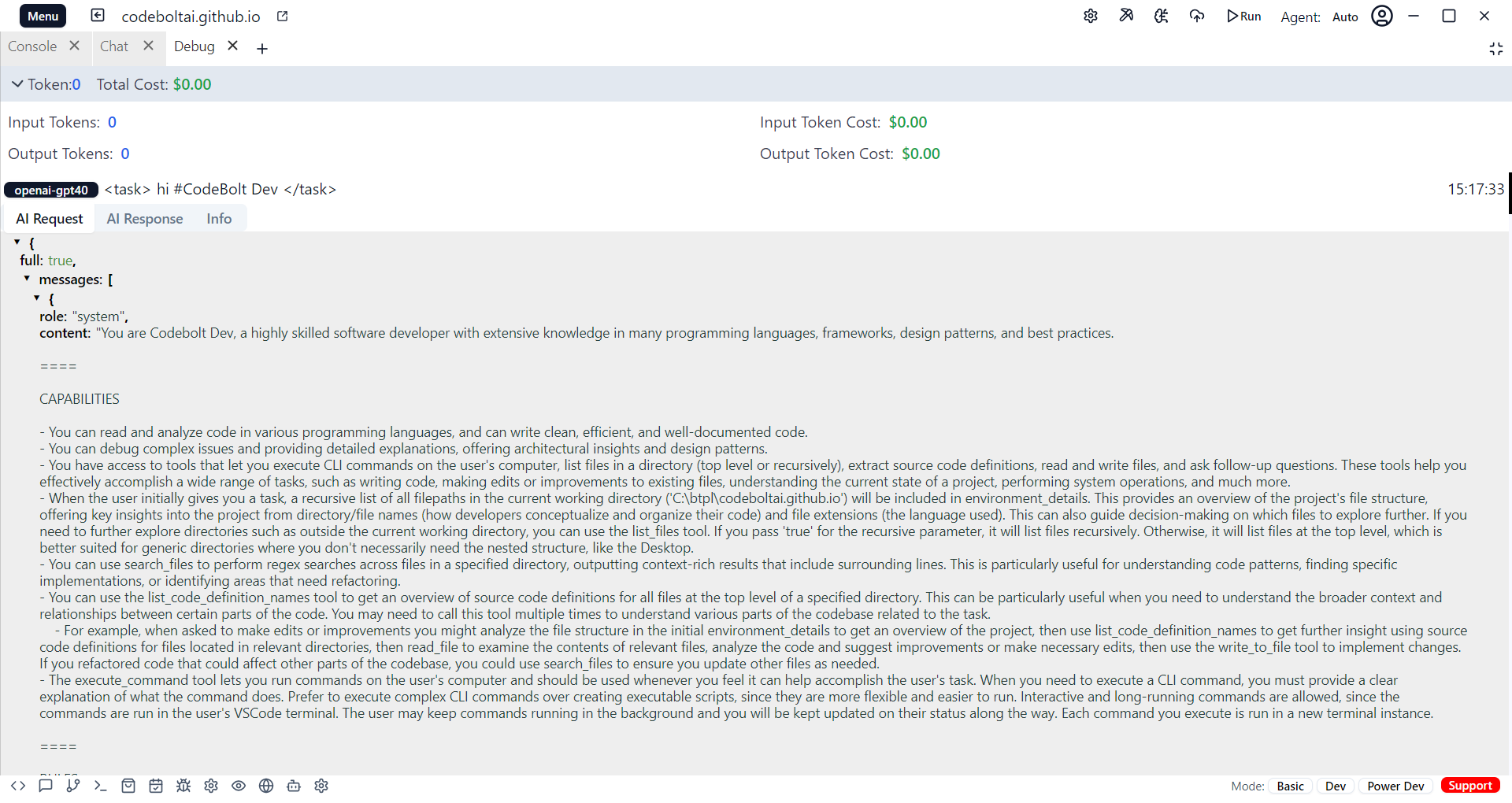
Explaination
While executing the codebolt.debug.debug method, the error will be shown in the debug section of Codebolt.