Guardrails
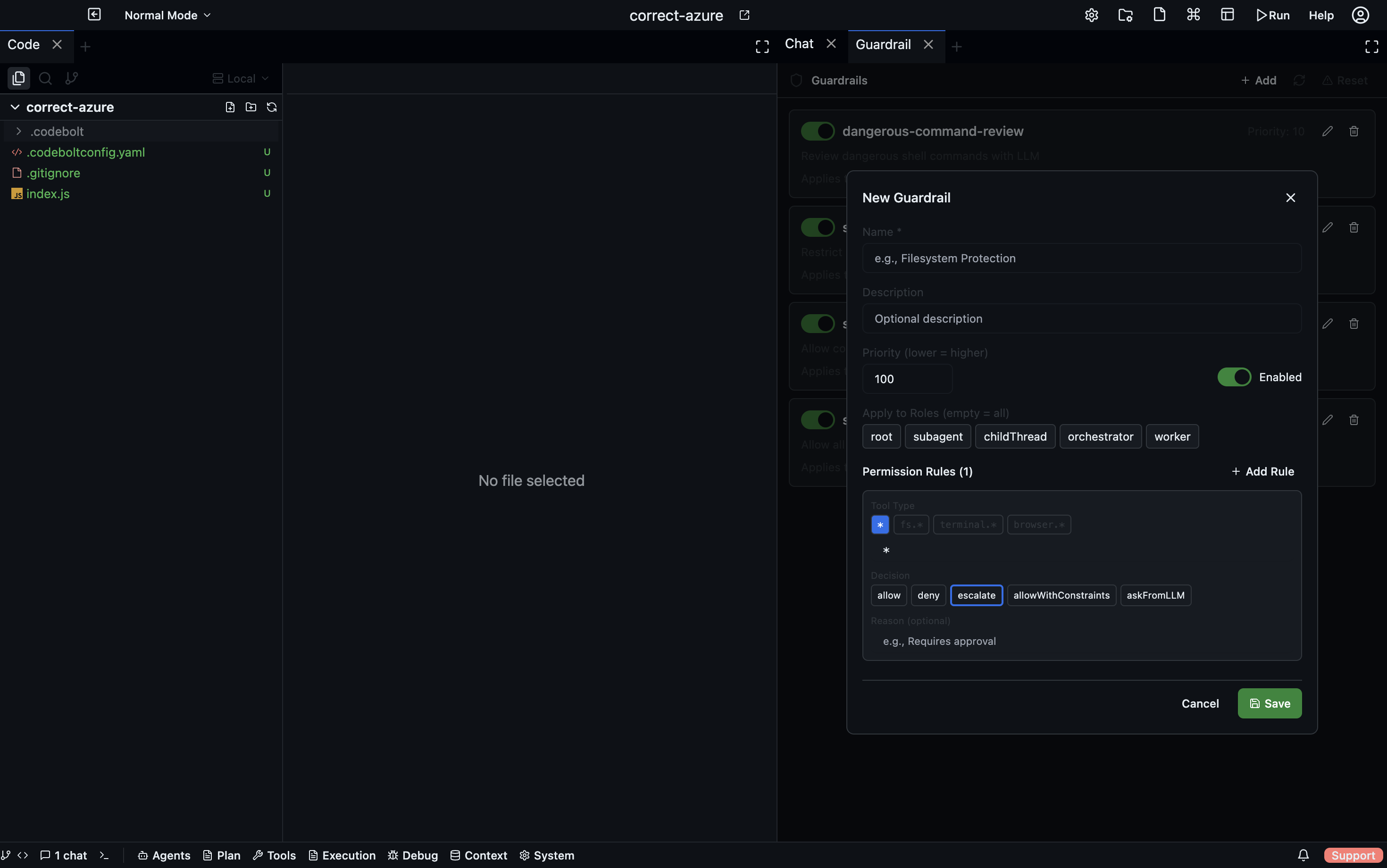
Guardrails are rules that constrain what agents are allowed to do during a run. They are evaluated at runtime — before a tool call executes or a file is written — and can block, warn, or log when an agent is about to take a restricted action.
Open via: System Settings dropdown → Guardrails
Why guardrails exist
Agents are powerful and occasionally surprising. Without guardrails, an agent might:
- Delete files outside the project directory
- Make API calls to external services with real side-effects
- Commit to a production branch directly
- Write secrets to a log file
- Exceed a cost budget by making too many LLM calls
Guardrails let you define the boundaries of acceptable behaviour once, rather than re-prompting the agent with restrictions every turn.
Guardrail types
File system rules
Control which paths an agent can read from or write to:
- type: filesystem
  action: deny
  paths:
    - "~/*"          # home directory
    - "/etc/*"       # system config
    - ".env*"        # environment files
  operations: [write, delete]
  message: "Writing outside the project root is not allowed."
Command execution rules
Restrict which shell commands agents can run:
- type: command
  action: warn
  patterns:
    - "rm -rf *"
    - "DROP TABLE*"
    - "git push --force*"
  message: "Destructive command detected. Proceed?"
warn presents a confirmation dialog; the agent is paused until the user confirms or cancels. deny blocks the command outright. log allows but records to the event log.
Network rules
Control which domains or URLs agents can access:
- type: network
  action: deny
  domains:
    - "*.internal.company.com"
    - "production-api.example.com"
  message: "Production API access is blocked in development."
Cost / token budget rules
Stop a run when it exceeds a cost or token threshold:
- type: budget
  action: pause
  limits:
    input_tokens: 500000
    output_tokens: 100000
    estimated_cost_usd: 5.00
  message: "Budget limit reached. Resume?"
pause suspends the agent and shows a dialog; deny terminates the run.
Git rules
Restrict git operations:
- type: git
  action: deny
  operations: [push]
  branches: ["main", "release/*"]
  message: "Direct push to main is not allowed. Open a PR instead."
Actions
| Action | What happens |
|---|---|
deny | The operation is blocked; the agent receives an error and must try something else |
warn | A confirmation dialog appears; the user can allow or cancel |
log | The operation proceeds but is flagged in the Event Log |
pause | The agent is paused; the user must resume manually |
Scope
Guardrails can be scoped to:
- All agents (project-level, applies to every run)
- Specific agents (by agent ID)
- Specific tasks (by task ID or task type)
Guardrail files
Project-level guardrails are stored in .codebolt/guardrails/. Each file is a YAML array of rules. Files are loaded alphabetically; later rules can override earlier ones.
.codebolt/guardrails/
  01_filesystem.yaml
  02_network.yaml
  03_git.yaml
Viewing guardrail activity
The Event Log (RAG Context dropdown → Event Log) records every guardrail trigger — which rule fired, which agent triggered it, and what action was taken. Filter the Event Log by event type guardrail to see the full history.
When a guardrail blocks or warns during an agent run, an entry also appears in the Agent Debug panel as a guardrail event.
Testing guardrails
Use the Guardrails panel's Test button to simulate a specific tool call or command and see which rules would match, without actually running the agent. Enter a tool name and parameters → click Test → the panel shows which rules matched and what action would be taken.