Calendar & Scheduled Events
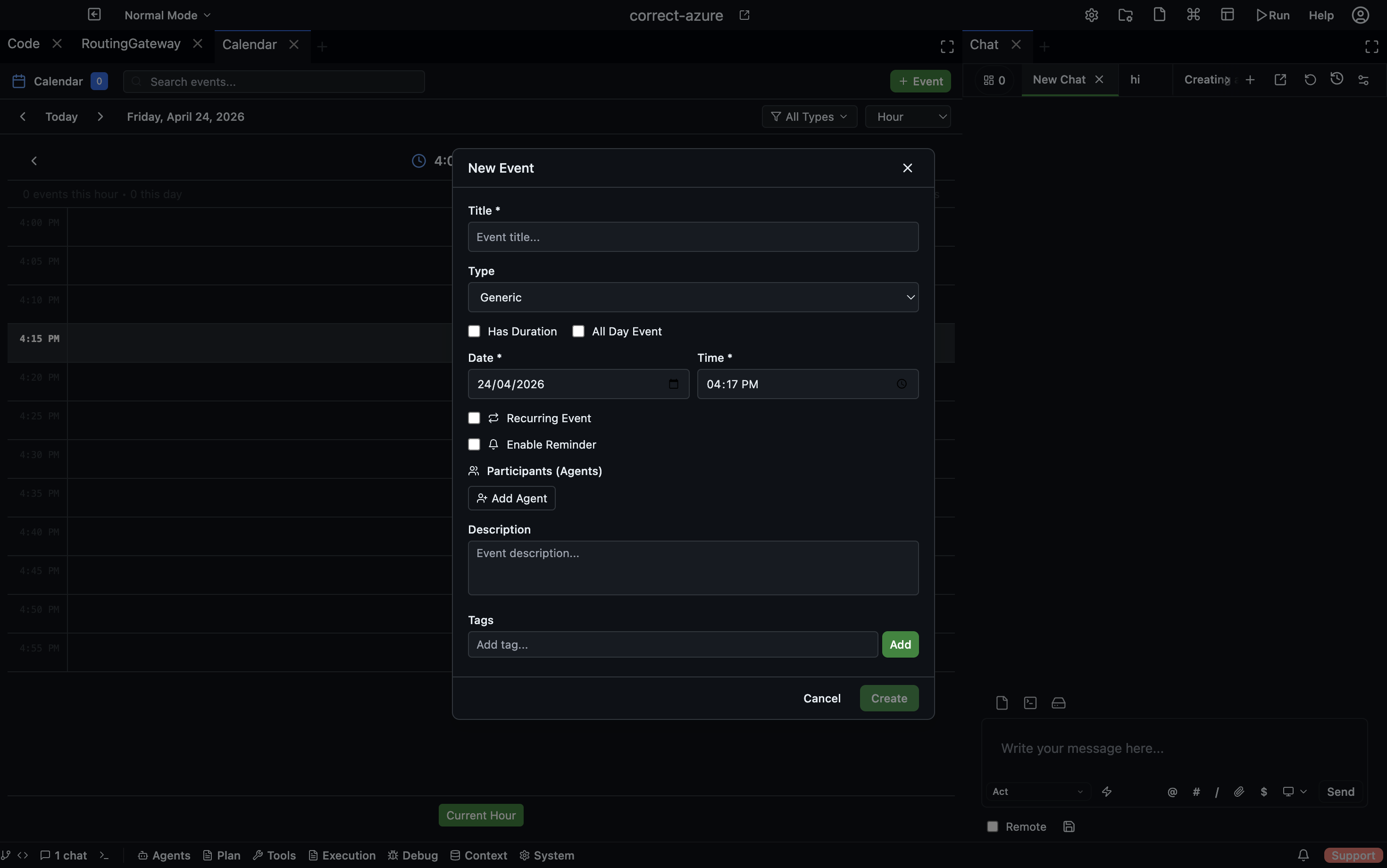
The Calendar panel lets you schedule events that automatically notify participants or trigger agents at a specific time. Events can be one-off or recurring using cron expressions.
Open via: Agents dropdown → Calendar
Event types
| Type | Use for |
|---|---|
generic | General scheduled reminders or notes |
note | Lightweight time-anchored annotations |
meeting | Agent-attended meetings with an agenda and mail thread |
system-check | Scheduled health or status checks |
agent-task | Events that automatically start an agent task |
Calendar views
Switch between five views using the toolbar:
| View | Description |
|---|---|
| Monthly | Full month grid |
| Weekly | Seven-day week layout |
| Daily | Hour-by-hour single day |
| Hourly | Zoomed-in hourly view |
| Schedule | Chronological list of upcoming events |
Creating an event
Click any time slot or the + New Event button. Configure:
| Field | Description |
|---|---|
| Title | Event name |
| Description | Optional details |
| Type | Event type (see above) |
| Start / End time | When the event occurs |
| All day | Toggle for full-day events |
| Participants | Users or agents to notify |
| Swarm | Associate the event with a specific agent swarm |
| Tags | Labels for filtering |
| Reminder | Optional — notify participants N minutes before the event |
Recurring events
Enable Recurring and provide a cron expression to schedule repeating events:
# Every day at 9am
0 9 * * *

# Every Monday at 10am
0 10 * * 1

# Every 30 minutes
*/30 * * * *

# First day of every month at midnight
0 0 1 * *
Set a Recurrence end time to stop the series automatically.
How events trigger actions
The Calendar Scheduler runs every 60 seconds in the background and checks two things:
-
Reminders — if an event has a reminder and the notification hasn't been sent yet, it sends a mail message to all participants and emits a
calendar:reminderWebSocket event. -
Event triggers — when an event's start time passes, the scheduler sends a
calendar:event-triggeredevent to all participants. If the event is connected to the Routing Gateway (via a calendar source rule), the gateway delivers a message to the configured agent.
Meeting events
Events of type meeting automatically create a mail thread with the agenda attached. Participants receive the thread and can respond. Use this to run structured agent-attended standups, reviews, or check-ins.
System-check events
Events of type system-check are used for recurring automated health checks. Pair them with a hook or a gateway rule to run a diagnostic agent whenever the check fires.
Filtering and search
Use the event type filter dropdown to show only specific types. Use the search bar to find events by title, description, or tag.