Webhooks
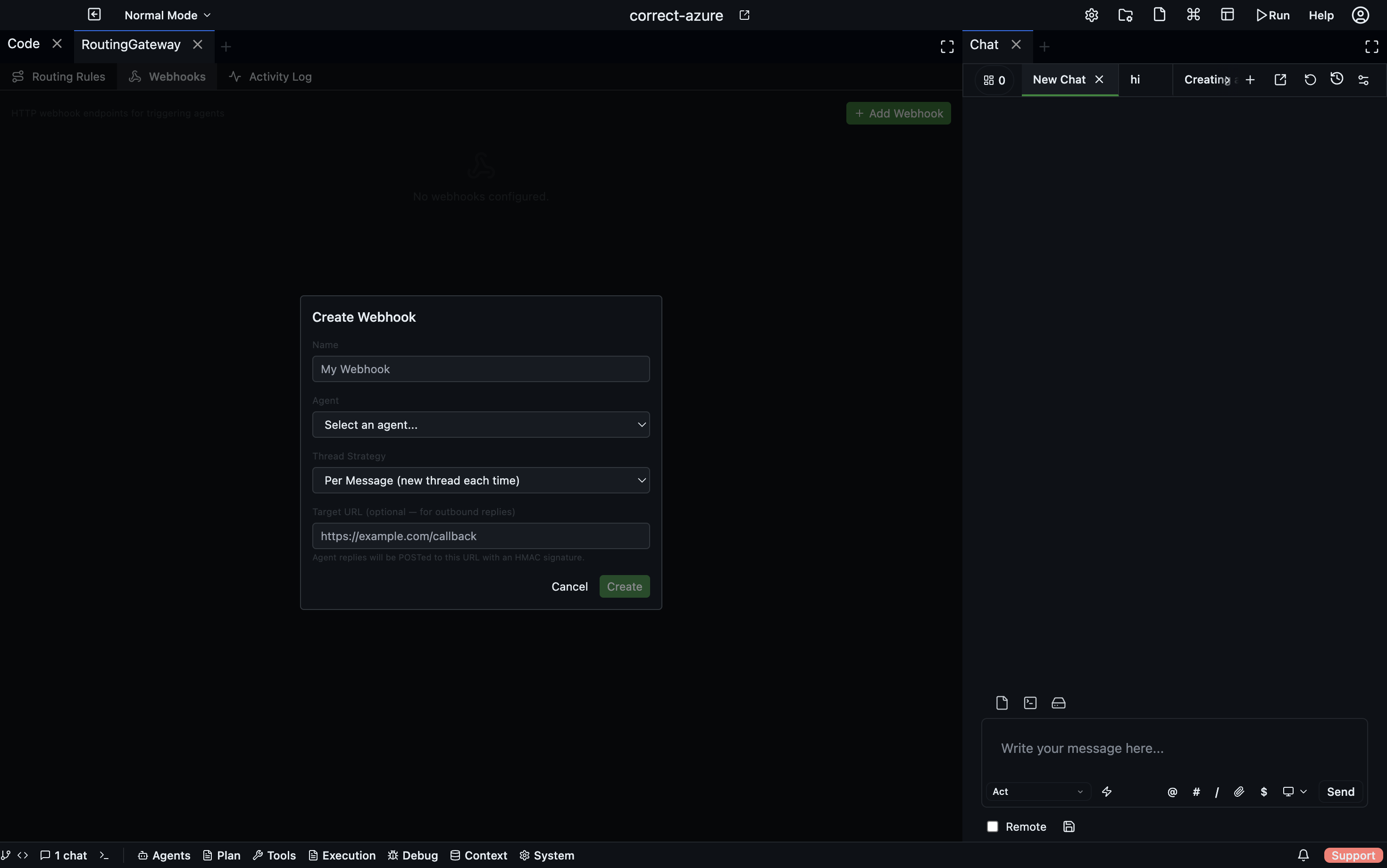
Webhooks let external systems trigger agent actions by sending an HTTP POST request to a unique URL. Each webhook is bound to an agent and a thread strategy — so when a request arrives, Codebolt knows exactly which agent to notify and how to manage the conversation thread.
Open via: System Settings → Routing Gateway → Webhooks tab
How a webhook works
- You create a webhook and Codebolt generates a unique URL:
POST /gateway/webhook/{id} - You configure an external system (GitHub, Slack, Zapier, your own service) to POST to that URL
- When a request arrives, the gateway validates the HMAC signature using the webhook secret
- The payload is delivered to the configured agent as a message
- If a
targetUrlis set, the agent's reply is POSTed back to it
Creating a webhook
Open the Routing Gateway → Webhooks tab and click +. Configure:
| Field | Description |
|---|---|
| Name | A label for this webhook |
| Agent | Which agent receives the incoming messages |
| Thread strategy | How conversation threads are managed (see below) |
| Environment | Optional — which environment the agent runs in |
| Reply target URL | Optional — where to POST the agent's response |
| Enabled | Toggle to activate or pause the webhook |
Thread strategies
| Strategy | Behaviour |
|---|---|
single | All requests share one global thread |
per-user | One thread per userId in the payload |
per-conversation | One thread per externalThreadId in the payload |
per-message | A fresh thread for every incoming request |
existing | Route to a specific existing thread ID |
Choose per-conversation when integrating with a chat platform (Slack, Discord) where each channel or DM should map to its own Codebolt thread. Choose per-message for stateless, fire-and-forget tasks.
Webhook security
Each webhook has a secret — a 64-character hex string used for HMAC-SHA256 request validation. Include the signature in the X-Codebolt-Signature header of outgoing requests. Requests with an invalid or missing signature are rejected.
Manage the secret from the webhook card:
- Show / Hide — reveal the raw secret
- Copy — copy to clipboard
- Regenerate — rotate the secret (invalidates the old one immediately)
Activity log
The Activity Log tab shows every request that passed through the gateway, with:
- Timestamp and source type
- Thread ID used
- Action taken (
routed-to-running,spawned-new,failed) - Agent ID and response time
- Error message if the request failed
Filter by source type (Webhooks / Hooks / Calendar / Channels) to focus on webhook traffic.
Reply routing
If you set a Reply target URL, the gateway POSTs the agent's response back to that URL after the agent finishes. The reply is signed with the same HMAC secret so the receiving system can verify it came from Codebolt.
This enables full request-response integrations — send a task, get the result delivered to a callback URL.
Payload format
Incoming POST bodies are passed as the message text. Include a userId or externalThreadId field in your JSON payload to use the per-user or per-conversation thread strategies:
{
  "text": "Review PR #42 and summarise the changes",
  "userId": "user-123",
  "externalThreadId": "channel-456",
  "metadata": {}
}