Review and Merge
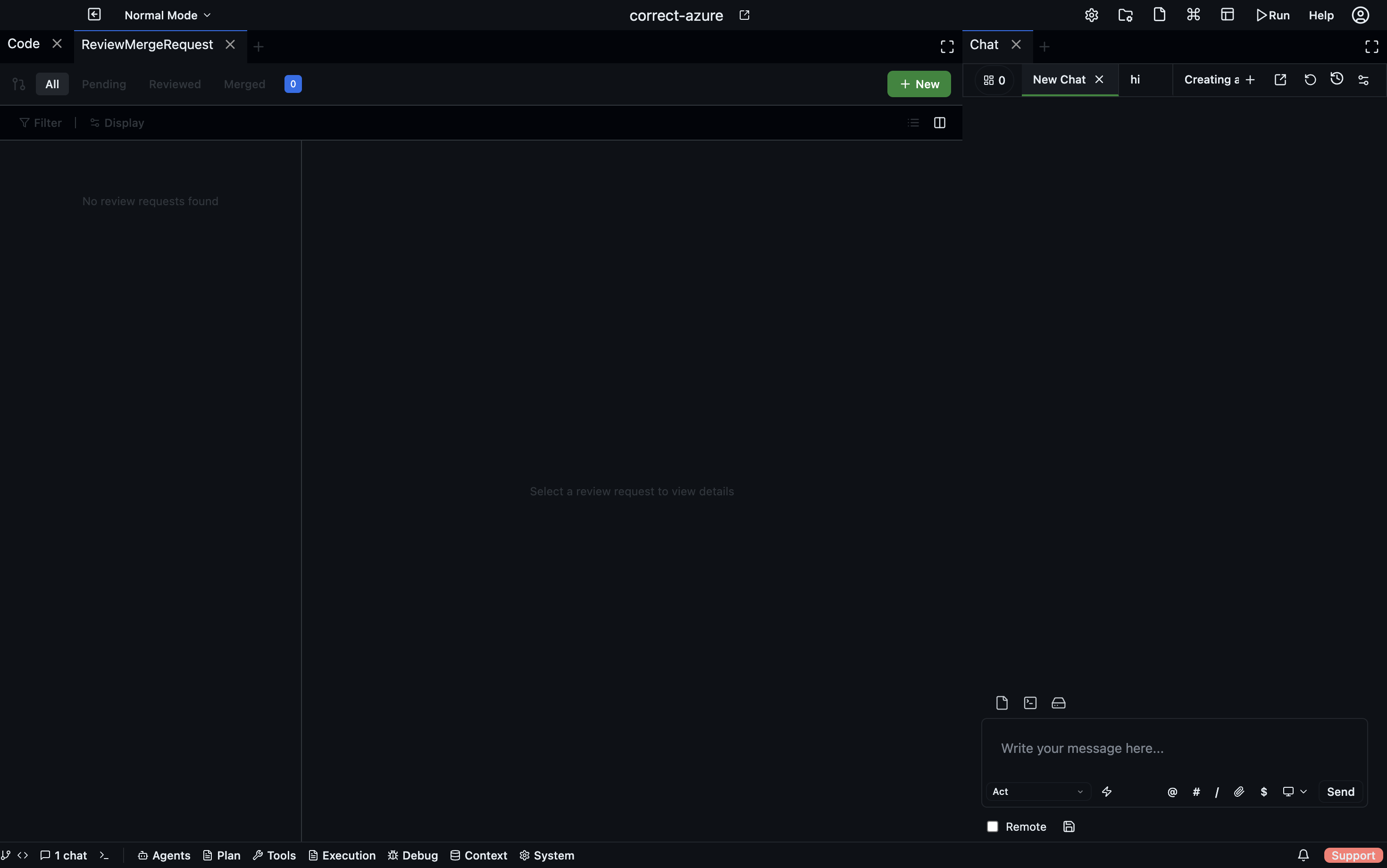
The human-in-the-loop side of multi-agent work. When agents produce changes that need approval before they land, they go through the review/merge system.
For the design side ("how do I structure review policies?"), see Review & Merge Design.
The merge request inbox
- Desktop
- CLI
- HTTP API
Agents panel → Merge Requests shows every pending review request waiting on you.
codebolt review list                       # all pending
codebolt review list --status approved     # filter
codebolt review show <id>                  # full diff + LLM verdict
codebolt review approve <id>
codebolt review reject <id> --comment "..."
codebolt review request-changes <id> --comment "..."
GET    /api/reviews?status=pending
GET    /api/reviews/:id
POST   /api/reviews/:id/approve
POST   /api/reviews/:id/reject
POST   /api/reviews/:id/request-changes
The inbox shows every pending review request waiting on you.
Each row:
- Source — which agent/flow produced this change
- Target — what's being merged (files, a branch, a config)
- Status — awaiting review / approved / rejected / merged / stale
- LLM review verdict — if an LLM reviewer has already looked
- Age — how long it's been waiting
Reviewing a merge request
Click a request to see:
- The plan — what the agent was trying to do.
- The diff — what it actually did.
- LLM reviewer comments — issues the automated reviewer flagged.
- Execution report — any warnings or notes from the executing agent.
- Related runs — links to the full trace of the work.
Approve or reject:
- Approve — the change is merged into the workspace immediately (for file changes) or committed to the target (for git changes).
- Reject — the change is discarded. The executing agent is notified and can retry or escalate.
- Request changes — send comments back without outright rejecting. The agent iterates.
Partial approval
For multi-file changes, you can approve some files and reject others:
- Click individual file diffs.
- Check "approve" or "reject" per file.
- Submit.
Only approved files are merged. Rejected files are preserved as a follow-up task for the agent.
Async review workflow
The standard pattern:
- Agent produces a change. Writes files, commits to a working branch via shadow git.
- A merge request is created. The agent's run completes (status:
pending_review). - You get notified. Desktop notification, Slack webhook, or email, depending on how hooks are configured.
- You review when convenient. The agent is not blocked; you decide when to look.
- On approval, the change is applied. On rejection, it's discarded.
This is critical: agents don't wait for humans. Blocking agent runs on human review is how you get abandoned half-done work. The async pattern keeps agents productive.
The review policy
Your project can configure which changes require human review. In .codebolt/review-policy.yaml:
policies:
  - match:
      paths: ["src/**/*.ts"]
      size: { lines_added_max: 20 }
    action: auto_merge_if_tests_pass

  - match:
      paths: ["infra/**", "prod/**"]
    action: require_human_review

  - match:
      agent: reviewer
    action: auto_merge

  - default:
    action: require_human_review
First matching rule wins. Rules can dispatch on path, size, agent, time of day, or anything in the change metadata.
See Review & Merge Design for designing these policies.
LLM-first review
Before any request reaches you, an LLM reviewer runs first (if configured). If it approves and the policy allows LLM-only approval, the change merges without human intervention. You only see the requests that the LLM flagged.
This is how you scale review. Don't look at every change; look at the ones the LLM wasn't sure about.
Stale requests
Requests older than a configurable window (default 7 days) are marked stale and moved to a separate folder. Stale requests need explicit action — approve or dismiss. This prevents a backlog of dead reviews cluttering the inbox.
Audit trail
Every review decision is in the event log: who approved / rejected, when, what they saw, what comments they made. Query for compliance:
codebolt events query 'type == review.decision and target.path ~~ "infra/.*"' \
  --since "30 days ago" --json
Integration with external review systems
If your team already uses GitHub/GitLab PRs, you probably don't want Codebolt reviews running in parallel. Two patterns:
- Codebolt as pre-PR — agent changes are reviewed in Codebolt first, then you open a normal PR with the approved changes. The PR is for human-to-human sign-off.
- Codebolt as post-PR — agent opens a PR directly, Codebolt's review system is bypassed, normal PR review happens.
Pick one and configure the policy to match. Running both in parallel creates double-review fatigue.