Persistent Memory
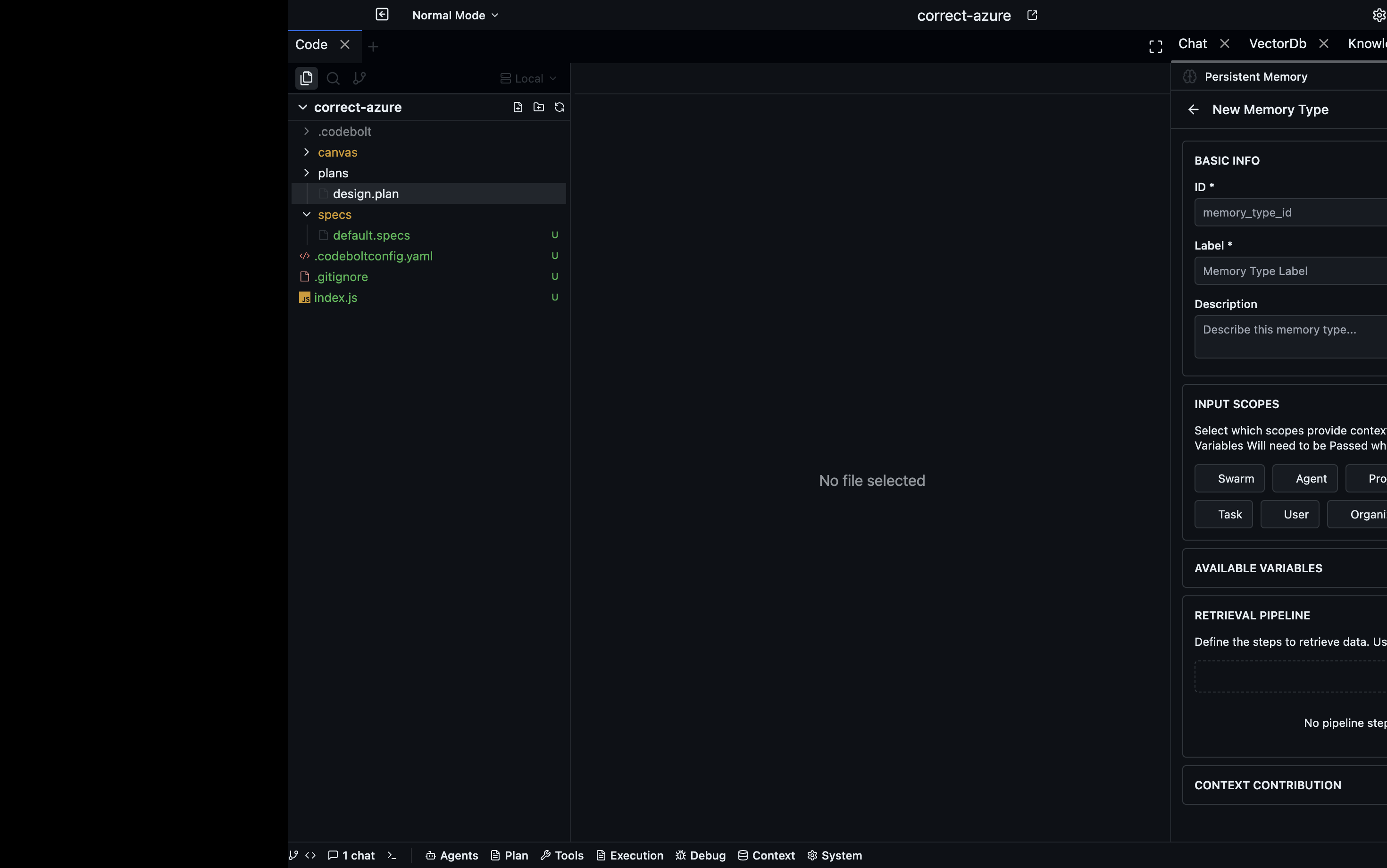
Persistent Memory defines declarative retrieval pipeline definitions that the Context Assembly Engine executes at runtime. Each "memory type" is a reusable, configurable retrieval recipe. Pipelines fetch data from storage layers, transform it, and format it for inclusion in LLM context.
Storage
Persistent Memory definitions are file-based, stored at:
{projectPath}/.codebolt/PersistentMemory/{id}.json
Each file is a complete, self-contained PersistentMemory definition.
Memory Type Definition Structure
A PersistentMemory definition follows this schema:
id: string                        # unique identifier
label: string                     # human-readable name
description: string               # what this retrieves
version: string                   # semver
status: 'active' | 'deprecated'
inputs_scope: InputScope[]        # which scopes provide variables
additional_variables: AdditionalVariable[]
retrieval:
  pipeline: PipelineStep[]        # the retrieval pipeline
contribution:
  section: ContextSection         # where in context this appears
  priority: 'low' | 'medium' | 'high' | 'critical'
  format: 'bullet_list' | 'numbered' | 'prose' | 'json'
  max_items: number
Input Scopes
There are 8 input scopes, each providing standard variables for template substitution within pipeline parameters.
| Scope | Variables |
|---|---|
swarm | swarm_id, swarm_name |
agent | agent_id, agent_name, agent_type |
project | project_id, project_path |
orchestrator | orchestrator_id |
thread | thread_id |
task | task_id, task_type |
user | user_id |
org | org_id |
Pipeline Execution
The executePipeline(memoryId, intent, threadId) function drives retrieval:
- Load the PersistentMemory definition by ID.
- Create execution context containing:
memoryId,memory,intent, aresultsMap,query,projectPath,threadId, and resolvedvariables. - Execute steps sequentially via
executeSteps(). - Store each step result in
context.resultskeyed by the step's alias. - Return a
PipelineExecutionResultwith per-step results, final output, formatted output, and timing information.
Template Variable Resolution
Pipeline parameters support template substitution using ${variable_name} syntax. Variables are resolved from three sources:
- Intent fields (keywords, query)
- Scope variables (from the input scopes defined on the memory type)
- Step outputs (results from previously executed pipeline steps)
Resolution is handled by two functions:
resolveTemplateVariables()— recursively replaces${...}placeholders in strings.resolveStepParams()— recursively resolves template variables in nested objects and arrays.
Pipeline Step Types
There are 21 pipeline step types organized into 8 categories.
Input (2 steps)
| Step | Description |
|---|---|
derive_query | Forms a query from intent keywords, action, context, or query. Joins keywords with spaces. Source: intent fields. |
rewrite_query | Normalizes a query (lowercases). Reads from a source step result or the context query. |
Retrieval (4 steps)
| Step | Description |
|---|---|
vector_search | Searches a vector DB collection. Params: collection (required), topK (default 5), minScore (default 0.5), query (from context). Calls vectorDbService.queryDocuments(). |
graph_view_read | Executes a Knowledge Graph view. Params: viewId (required). Calls kgInstanceService.executeView(). |
kv_get | Fetches from a KV store. Params: instance (required), namespace (required), keys[] (required). Calls kvStoreDataService.get() for each key. |
log_search | Searches the event log. Params: instance (required), eventType, limit (default 20), since, streamId. Compiles EventLogQueryDSL and executes. |
Expansion (2 steps)
| Step | Description |
|---|---|
graph_view_expand | Expand graph nodes. (Placeholder in current implementation.) |
graph_neighbor_expand | Expand node neighbors. (Placeholder in current implementation.) |
Filter (2 steps)
| Step | Description |
|---|---|
filter | Filters items by field/operator/value. Operators: eq, neq, gt, lt, gte, lte, contains, startsWith, endsWith, in, exists. Gets source data from a previous step. |
deduplicate | Removes duplicates by field value. Uses a Map to track seen values. |
Aggregation (3 steps)
| Step | Description |
|---|---|
group_by | Groups items by a field value. Returns Record<string, any[]>. |
reduce_latest | Keeps only the latest item per entity (by entityField). Sorts by sortField descending. |
merge | Merges multiple source arrays. Strategies: concat (default), interleave, unique (by uniqueField). |
Ranking (2 steps)
| Step | Description |
|---|---|
rank | Sorts by strategy. Strategies: score_desc (by score field descending), recency (by timestamp descending), relevance (by relevance field descending). Applies topK limit. |
score | Applies weighted scoring. Weights map field names to multipliers. Computes weighted sum, sorts descending, applies topK. |
Transform (3 steps)
| Step | Description |
|---|---|
summarize | Limits output to max_items from source data. |
format | Formats output as a string. Formats: bullet_list, numbered, prose, json, markdown. Uses formatItem() to extract text from items. |
annotate | Adds provenance metadata to items (source memory, retrieval timestamp, step info, optional label). |
Control (2 steps)
| Step | Description |
|---|---|
conditional | Evaluates a condition expression. If true, runs thenSteps; if false, runs elseSteps. Returns boolean. |
early_exit | Evaluates a condition. If true, stops pipeline execution immediately. Returns boolean. |
Expression Evaluation
The evaluateExpression(expression, ctx) function handles condition evaluation in control steps. Supported expression patterns:
| Pattern | Example | Description |
|---|---|---|
| Result count | results.count >= 5 | Count of items in results |
| Array length | results.alias.length > 10 | Length of a specific step's output array |
| String search | query.contains('text') | Check if the query contains a substring |
| Comparison | Any of >=, <=, >, <, ==, != | Standard comparison operators |
Custom Steps
The executeCustom() function supports three execution modes:
inlineCode— Evaluated in a sandbox environment.actionBlockPath— Executed viaSideExecutionManager.handler— A named, registered handler function.
Context Sections
The contribution.section field determines where the memory output appears in the assembled LLM context:
statewarningsknowledgehistoryconstraintssuggestionsworking_memory
Priority Weights
Priority values map to numeric weights used during context assembly:
| Priority | Weight |
|---|---|
critical | 4 |
high | 3 |
medium | 2 |
low | 1 |
Validation
The validatePersistentMemory() function performs structural validation on a definition and returns { valid, errors[], warnings[] }.
Checks include:
- Required fields:
id,labelmust be present. - Pipeline steps: Each step must have a valid
typeand the required params for that step type. - Contribution config: The
section,priority, andformatvalues must be from the allowed enumerations.
Operations
| Operation | Description |
|---|---|
| Create | Create a new PersistentMemory definition |
| Get | Retrieve a definition by ID |
| List | List all definitions |
| Update | Update an existing definition |
| Delete | Remove a definition |
| ListActive | List definitions with status='active' only |
| ListByInputScope | Filter definitions by a specific input scope |
| Duplicate | Deep copy with a new ID |
| Export | Serialize a definition to a JSON string |
| Import | Deserialize from a JSON string, with optional overwrite |
| ExecuteRetrieval | Run the pipeline with an intent |
| Validate | Validate a definition structure |
| GetStepSpecs | Retrieve available step type specifications |
WebSocket Events
| Event | Trigger |
|---|---|
persistentMemory:created | A new definition is created |
persistentMemory:updated | An existing definition is updated |
persistentMemory:deleted | A definition is deleted |
persistentMemory:pipeline-executed | A pipeline execution completes |
REST API
Memory Type CRUD
GET    /persistent-memory/types          # List all memory types
POST   /persistent-memory/types          # Create a new memory type
GET    /persistent-memory/types/:id      # Get a specific memory type
PUT    /persistent-memory/types/:id      # Update a memory type
DELETE /persistent-memory/types/:id      # Delete a memory type
Execution and Validation
POST   /persistent-memory/types/:id/execute   # Execute a memory type's pipeline
POST   /persistent-memory/validate             # Validate a definition
Step Specifications
GET    /persistent-memory/step-specs                    # Get all step specs
GET    /persistent-memory/step-specs/user-configurable  # Get user-configurable step specs
Import / Export / Duplicate
GET    /persistent-memory/types/:id/export     # Export a definition as JSON
POST   /persistent-memory/import               # Import a definition from JSON
POST   /persistent-memory/types/:id/duplicate  # Duplicate a definition