KV Store
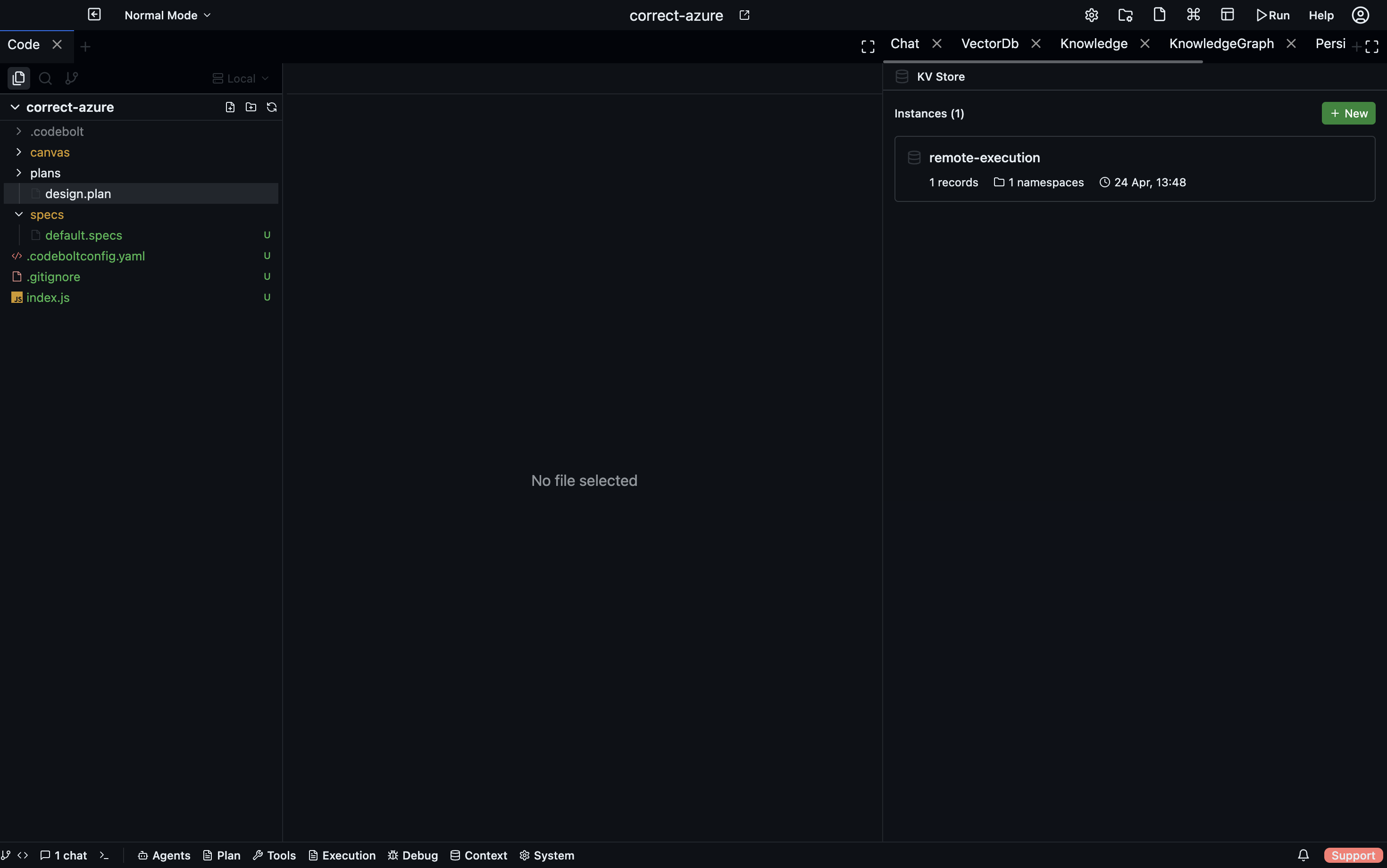
Fast namespaced key-value storage for persisting small values across agent runs. The KV Store is SQLite-backed with WAL mode for concurrent access, instance-based (each instance is a logical container with its own namespaces), and delivers real-time updates via WebSocket.
Storage Layout
| Item | Location |
|---|---|
| Database | {projectPath}/.codebolt/db/project.db (shared with VectorDB and EventLog) |
| Instance metadata | {projectPath}/.codebolt/kvstore/instances/{instanceId}.json |
Table Schema — kv_store
| Column | Type | Description |
|---|---|---|
instance_id | TEXT | UUID of the owning instance |
namespace | TEXT | Logical namespace within the instance |
key | TEXT | Record key |
value | TEXT | JSON-stringified value |
updated_at | INTEGER | Epoch milliseconds of last write |
Primary key: (instance_id, namespace, key) — conflicts trigger an upsert.
SQLite PRAGMAs
The database is configured with:
- WAL mode for concurrent reads and writes
- Appropriate synchronous level for durability
- TEMP_STORE MEMORY to keep temporary tables in RAM
Instance Management
Each instance is a logical container described by the following metadata:
| Field | Description |
|---|---|
id | UUID |
name | Human-readable name |
description | Optional description |
recordCount | Live count of records (computed from DB on read) |
namespaces | Live list of namespaces (computed from DB on read) |
createdAt | Creation timestamp |
updatedAt | Last-modified timestamp |
Metadata is stored as individual JSON files and sorted by createdAt DESC when listed.
ensureInstance(name)
Uses a get-or-create pattern: looks up an existing instance by name, and creates a new one if no match is found. This is the mechanism behind the autoCreateInstance flag on the set endpoint.
Data Operations
set(instanceId, namespace, key, value)
Upserts a record into kv_store. The value is JSON.stringify-ed before storage. Emits the kvStore:record-set WebSocket event on success.
get(instanceId, namespace, key)
Retrieves a record and JSON.parses its value. Returns null if the key does not exist.
delete(instanceId, namespace, key)
Deletes a single record. Emits kvStore:record-deleted. Returns a boolean indicating whether a row was removed.
deleteNamespace(instanceId, namespace)
Deletes all records in the given namespace. Emits kvStore:namespace-cleared. Returns the count of deleted records.
getNamespaces(instanceId)
Returns a sorted array of distinct namespace values for the instance.
getRecordCount(instanceId, namespace?)
Counts records belonging to an instance, optionally filtered to a single namespace.
Query DSL
The KVQueryDSL allows structured queries against the store:
interface KVQueryDSL {
  instance: string;      // instance ID
  namespace: string;     // namespace to query
  where?: KVFilter[];    // filter conditions
  order?: KVQueryOrder;  // sorting
  limit?: number;        // max results
}
Filter Operators (KVFilterOperator)
| Operator | Description |
|---|---|
= | Exact match |
!= | Not equal |
starts_with | Key prefix match |
contains | Substring match |
in | Value is in a provided array |
exists | Key exists (no value argument needed) |
Allowed filter fields: key, updated_at
Query Compilation
KVQueryDSL is compiled to parameterized SQL via kvStoreQueryCompiler. The compiler translates the filter array and ordering into WHERE clauses with bound parameters, preventing SQL injection.
Constraints
| Constraint | Value |
|---|---|
MAX_FILTERS | 5 |
MAX_QUERY_LIMIT | 500 |
DEFAULT_QUERY_LIMIT | 100 |
Database Migrations
Two migrations are applied in order:
- CreateKVStoreTable — creates the
kv_storetable with columnsinstance_id,namespace,key,value, andupdated_at. - CreateKVMigrationsTable — creates the migration-tracking table used to record which migrations have run.
WebSocket Events
All mutations emit events so that connected clients (e.g., the UI panel) can update in real time.
| Event | Payload |
|---|---|
kvStore:instance-created | Instance metadata |
kvStore:instance-updated | Instance metadata |
kvStore:instance-deleted | Instance ID |
kvStore:record-set | { instanceId, namespace, key, value } |
kvStore:record-deleted | { instanceId, namespace, key } |
kvStore:namespace-cleared | { instanceId, namespace } |
REST API
Instance Endpoints
| Method | Path | Description |
|---|---|---|
| POST | /kvstore/instances | Create a new instance |
| GET | /kvstore/instances | List all instances |
| GET | /kvstore/instances/:id | Get instance with live stats (recordCount, namespaces) |
| PUT | /kvstore/instances/:id | Update instance name or description |
| DELETE | /kvstore/instances/:id | Delete instance and all its records |
Record Endpoints
| Method | Path | Description |
|---|---|---|
| POST | /kvstore/kv | Set a value. Body: { instanceId, namespace, key, value, autoCreateInstance } |
| GET | /kvstore/kv/:instanceId/:namespace/:key | Get a value |
| DELETE | /kvstore/kv/:instanceId/:namespace/:key | Delete a value |
| DELETE | /kvstore/namespace/:instanceId/:namespace | Delete all records in a namespace |
Query Endpoint
| Method | Path | Description |
|---|---|---|
| POST | /kvstore/query | Execute a KVQueryDSL query |
Note: The
autoCreateInstanceflag on the set endpoint triggersensureInstance— if the instance name does not exist yet, it is created automatically before the value is written.
SDK Reference
Create an Instance
const instance = await codebolt.kvstore.createInstance({
  name: "my-agent-state",
  description: "Persisted state for my agent"
});
Set a Value
await codebolt.kvstore.set(instance.id, "config", "theme", "dark");
Get a Value
const theme = await codebolt.kvstore.get(instance.id, "config", "theme");
// "dark"
Delete a Value
await codebolt.kvstore.delete(instance.id, "config", "theme");
Delete a Namespace
const deletedCount = await codebolt.kvstore.deleteNamespace(instance.id, "config");
Query Records
const results = await codebolt.kvstore.query({
  instance: instance.id,
  namespace: "user-prefs",
  where: [
    { field: "key", operator: "starts_with", value: "ui." }
  ],
  order: { field: "updated_at", direction: "desc" },
  limit: 50
});
Get Namespaces
const namespaces = await codebolt.kvstore.getNamespaces(instance.id);
// ["config", "user-prefs"]
Get Record Count
const total = await codebolt.kvstore.getRecordCount(instance.id);
const nsCount = await codebolt.kvstore.getRecordCount(instance.id, "config");