Action Blocks
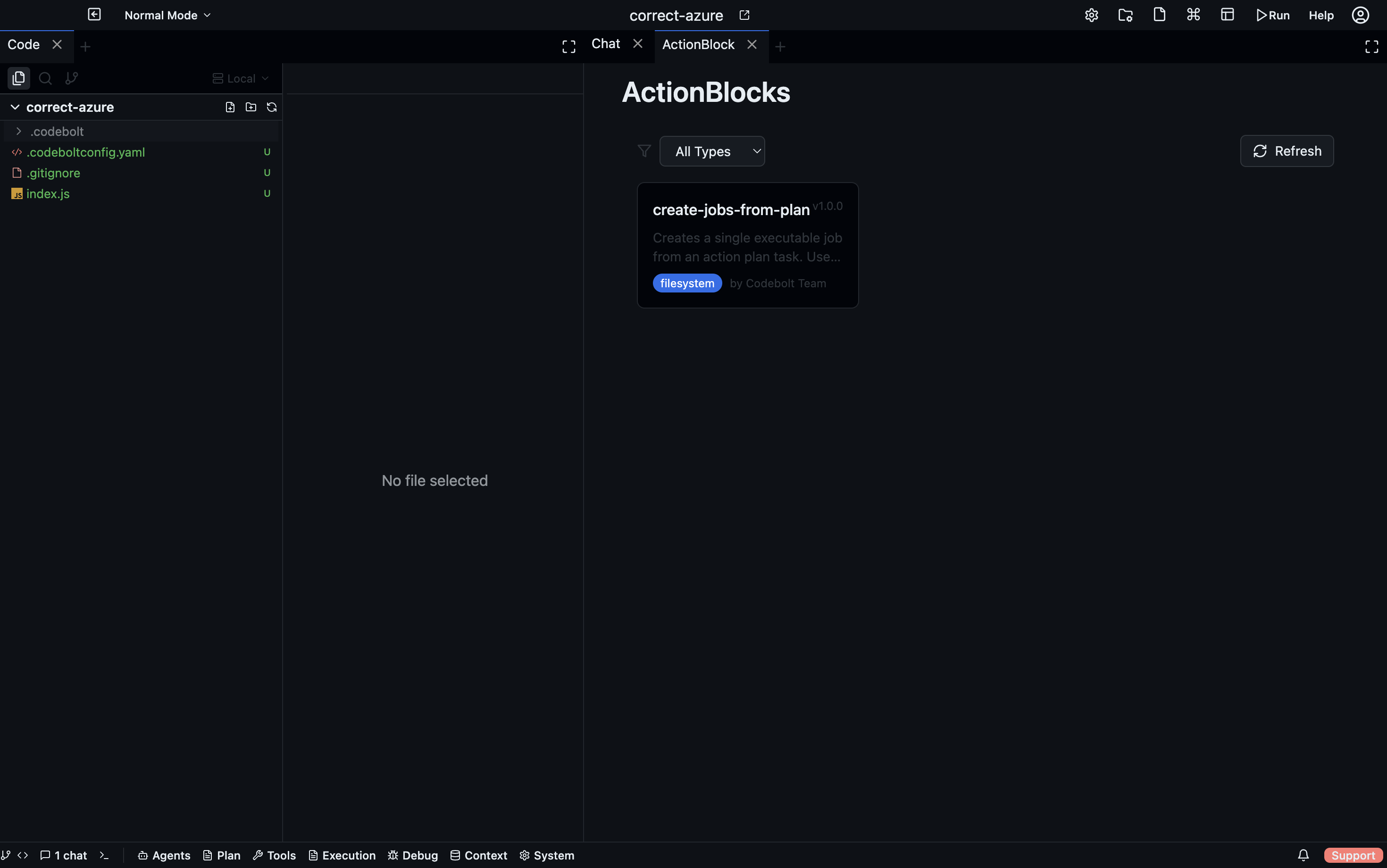
Action Blocks are lightweight, focused code units that run as side executions — in parallel with the main agent loop, not as part of it. Where an agent is a full reasoning loop, an action block is a discrete function: receive context, do one thing, return a result.
Open via: Agents dropdown → Action Blocks
How action blocks differ from agents
| Agent | Action Block | |
|---|---|---|
| Reasoning | Full LLM reasoning loop | No LLM — deterministic code |
| Execution | Sequential, conversational | Parallel side execution |
| Scope | Broad, multi-step tasks | Single, well-defined operation |
| Invocation | User or orchestrator | Agent or hook |
| Context | Full thread history | Receives thread context as input |
Where action blocks live
| Source | Path |
|---|---|
| Project | .codebolt/actionblocks/{name}/ |
| Global | ~/.codebolt/actionblocks/{name}/ |
| Built-in | Shipped with Codebolt |
Action block configuration
Each action block directory contains an actionblock.yaml:
name: lint-changed-files
description: Runs the linter on files changed in the current diff
version: 1.0.0
entryPoint: index.js
metadata:
  author: yourname
  tags: [lint, quality]
  inputs:
    - name: files
      type: string[]
      required: true
      description: List of changed file paths
  outputs:
    - name: report
      type: string
      description: Linter output
The entryPoint is the file that is executed. It receives the thread context (conversation history, thread ID, agent metadata) as input.
The Action Blocks panel
The panel has two tabs:
Action Blocks tab
Lists all discovered action blocks filtered by source type (filesystem / runtime / built-in). Search by name, click Refresh to re-scan after adding new ones. Click an action block to view its full metadata — inputs, outputs, dependencies, entry point.
Side Executions tab
Shows all currently running or recently completed side executions with their status (running, completed, failed, timeout). Use this to monitor action blocks invoked by agents in real time.
Triggering action blocks
Action blocks are invoked in two ways:
- By an agent — the agent calls an action block by name during its task, passing the required inputs. The result is returned asynchronously.
- By a hook — a hook with
then.type: runActionBlockfires the action block in response to a system event. See Hooks.
Side execution context
When an action block runs, it receives:
threadId— the current conversation threadparentAgentId/parentAgentInstanceId— the invoking agentexecutionId— unique ID for this run- Conversation messages up to the invocation point
This gives action blocks enough context to act on the current state of the project without needing full agent reasoning.