Capabilities
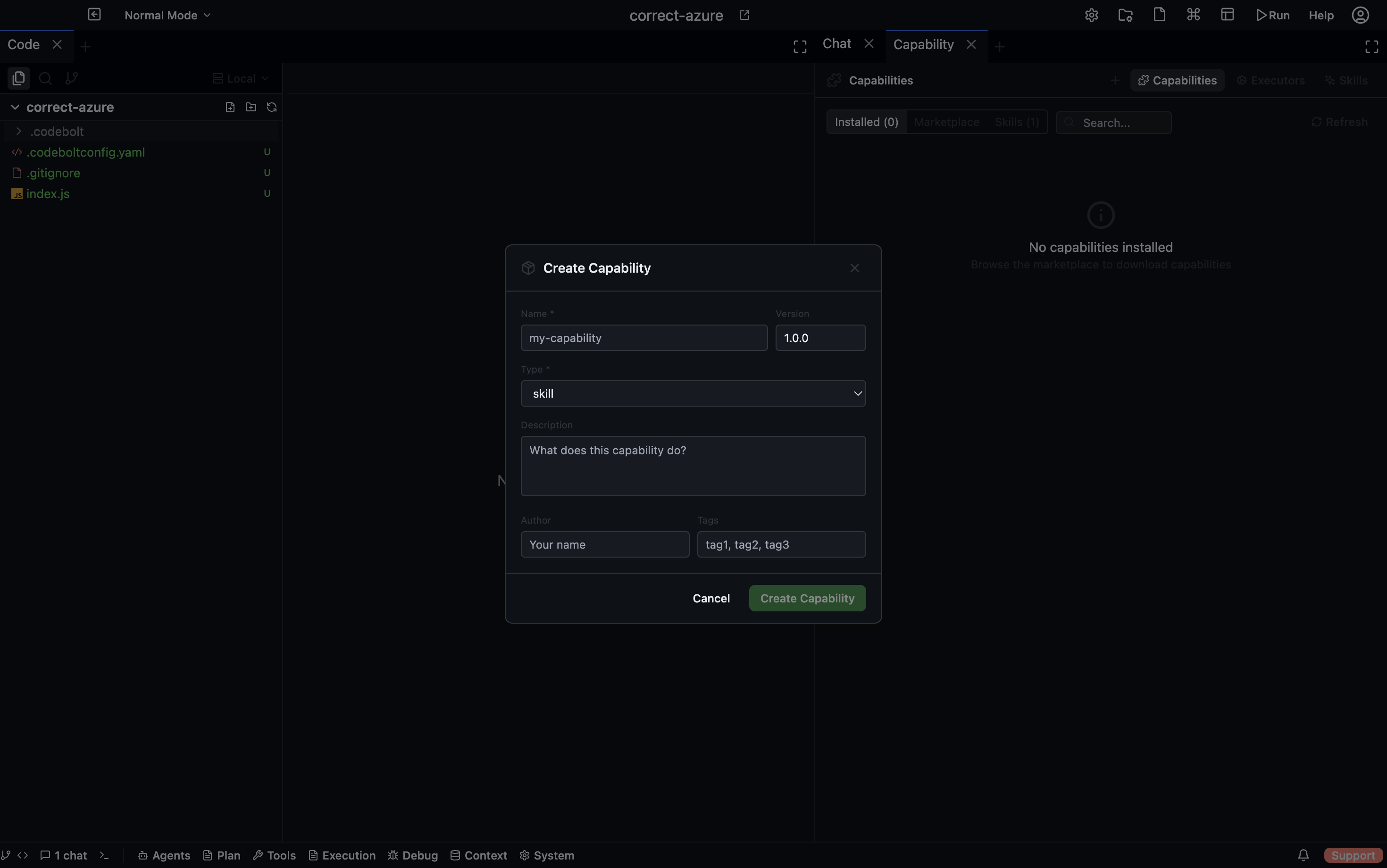
A Capability is a versioned, reusable unit of agent behaviour with defined inputs and outputs. Agents invoke capabilities during task execution to perform specific, well-scoped operations — without re-implementing the same logic in every agent.
Open via: Agents dropdown → Capabilities
Capability types
Capabilities have a type field that classifies their purpose:
| Type | Description |
|---|---|
skill | A user-invocable behaviour, often available via slash command |
power | A more complex automation, typically used internally by agents |
talent | A specialised capability for a specific domain or task |
Custom types can be registered and handled by a matching executor.
Where capabilities live
Codebolt discovers capabilities from three locations, in priority order:
| Source | Path | Scope |
|---|---|---|
| Project | .codebolt/capabilities/{name}/ | This project only |
| Global | ~/.codebolt/capabilities/{name}/ | All projects on this machine |
| Built-in | Shipped with Codebolt | Always available |
Capability configuration
Each capability directory contains a capability.yaml:
name: summarise-changes
type: skill
version: 1.0.0
description: Summarises the changes in a git diff
author: yourname
tags: [git, summarisation]
inputs:
  - name: diff
    type: string
    required: true
    description: The git diff to summarise
outputs:
  - name: summary
    type: string
    description: Human-readable summary of the changes
The Capabilities panel
The panel has three tabs:
Capabilities tab
Lists all discovered capabilities with their name, type, version, and source. Use the type filter and search bar to narrow the list. Click Refresh to re-scan the filesystem after adding a new capability.
Skills tab
Shows capabilities of type skill from the marketplace. Browse, search by name or author, and download skills directly into your global capabilities directory.
Executors tab
Shows the executor runtimes available for running capabilities. See Executors for details.
How agents invoke capabilities
Agents call capabilities through the Capability Manager. The call includes:
- The capability name and version
- Input values
- The current thread ID (so the capability has conversation context)
The Capability Manager routes the call to the appropriate executor, waits for the result, and returns it to the agent. Execution is tracked with the agent's run ID for observability.