Agent Deliberation
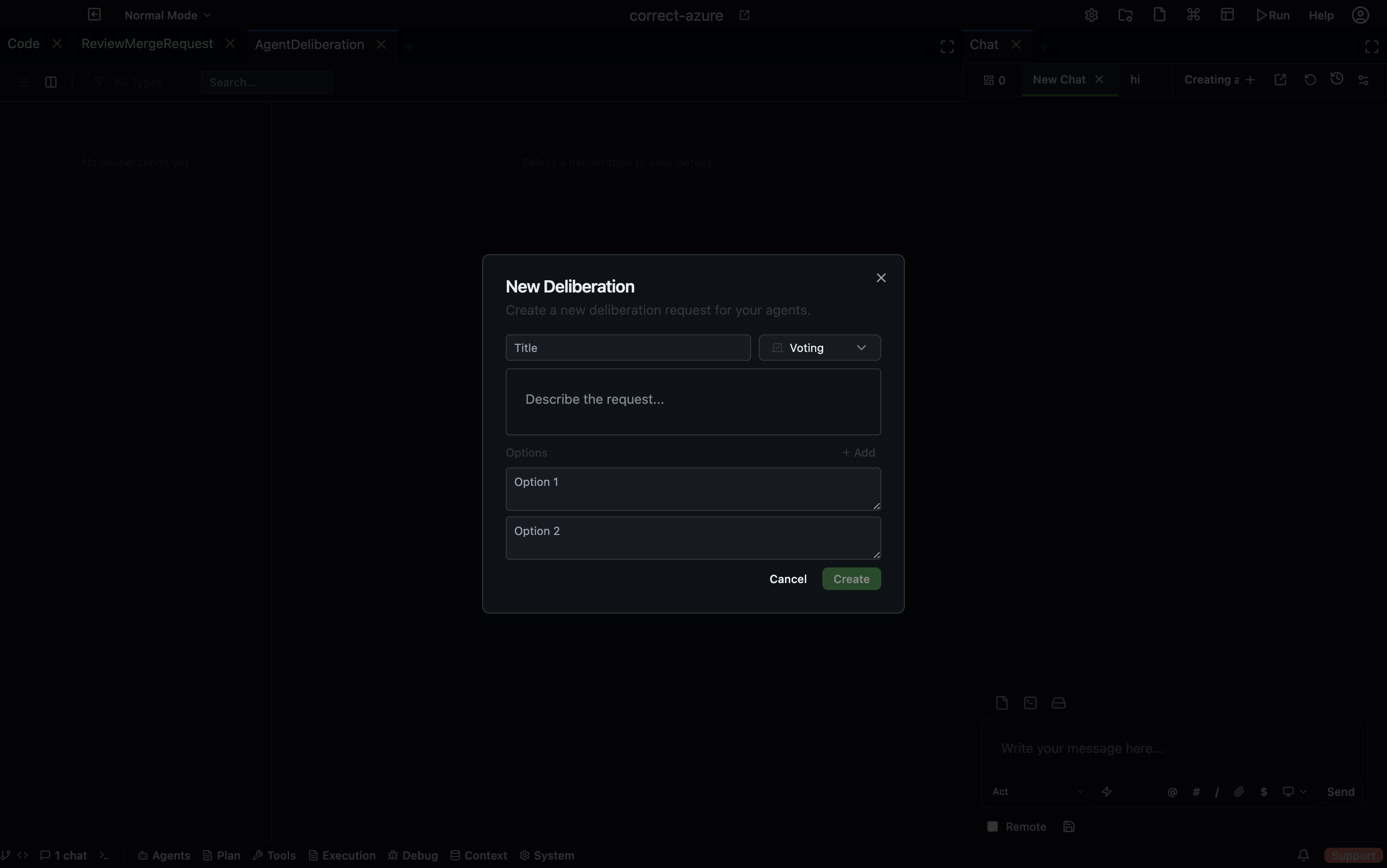
The Agent Deliberation panel lets a group of agents collectively reason about a question and reach a shared decision. Instead of one agent answering, multiple agents contribute responses and the group votes on the best outcome.
Open via: Agents dropdown → Agent Deliberation
Deliberation types
| Type | How it works |
|---|---|
| Voting | Agents propose options; participants vote on the best one; a winner is declared |
| Feedback | Agents provide open-ended feedback on a question or proposal |
| Q&A | One or more agents answer a question; responses are collected for review |
| Shared List | Agents collaboratively build a list of items |
Deliberation lifecycle
- Draft — created but not yet open for responses
- Collecting responses — agents are contributing answers or options
- Voting — responses are locked; participants cast votes
- Completed — a winner or summary has been determined
Creating a deliberation
Click + New Deliberation, set a title and a request message (the question or proposal), and choose the deliberation type. Save to move it to Draft, or publish immediately to start collecting responses.
Spawning agents
From the deliberation detail view, use Start Agents to spawn N agents that will automatically participate and contribute responses. Use Start Voting Agents to spawn agents specifically for the voting phase.
You control how many agents participate and which agent definitions are used.
Voting
In a Voting-type deliberation, each response or option is shown as a card with a vote count. Click the vote button on a card to cast your vote. Once voting closes, the winner is declared and highlighted.
Responses
Each agent's response appears as a card showing:
- The responding agent's name
- The response content
- Vote count (if in voting phase)
- Timestamp
Summary
After a deliberation completes, a summary section captures the outcome — the winning option, key points from feedback, or the final shared list. The summary can be edited manually or generated by an agent.
Filtering and search
Use the type filter (All / Voting / Feedback / Q&A / Shared List) and the search bar to find deliberations by title or request content.
Real-time updates
The panel listens for WebSocket events as responses are added, votes are cast, and winners are declared — all participants see updates without refreshing.