Mail & Inbox
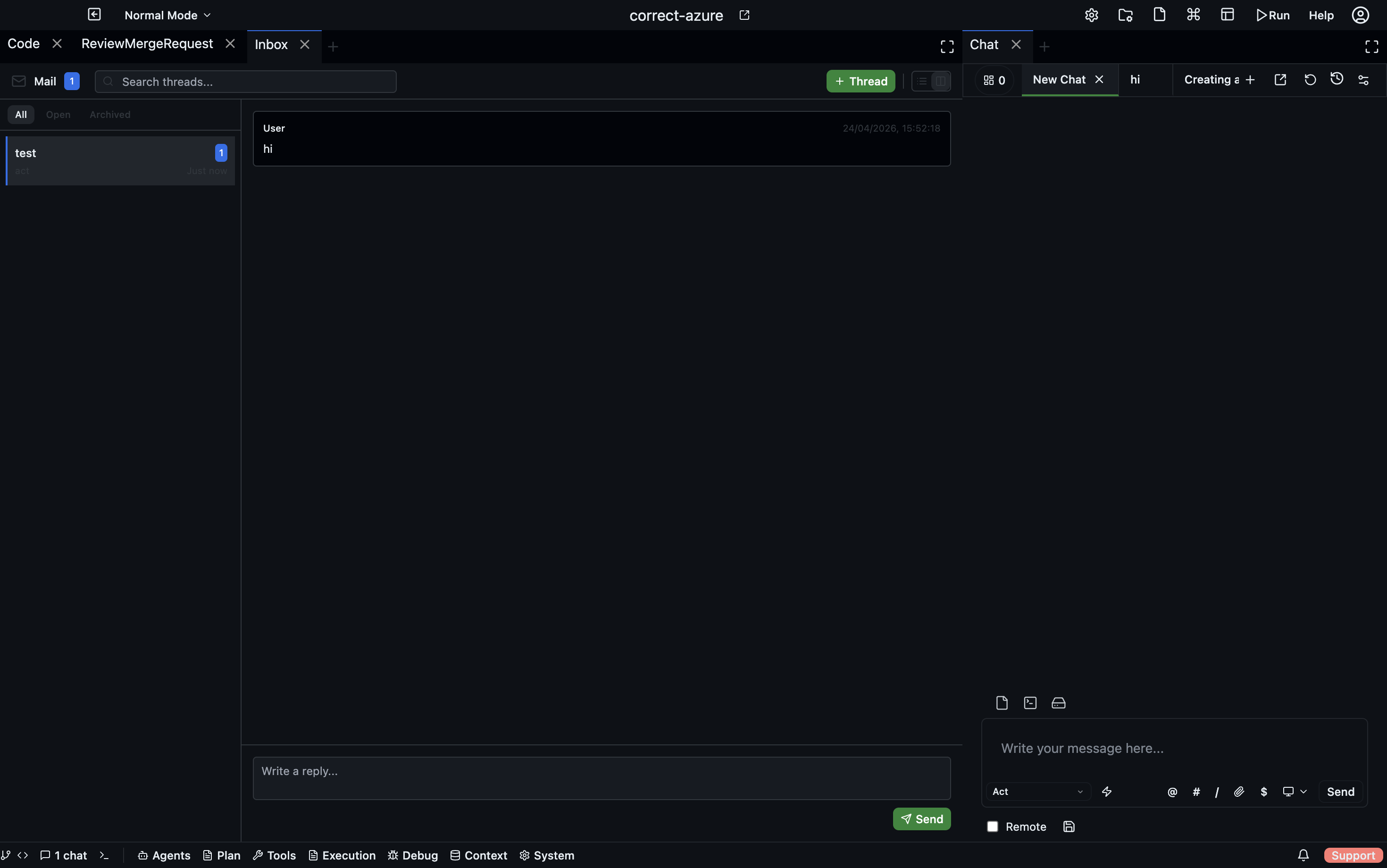
The Mail panel provides a threaded messaging system for communication between agents and between agents and users. It works like email — conversations are organised into threads, each with a subject, a list of participants, and a message history.
Open via: Agents dropdown → Mail
When to use Mail
Mail is for asynchronous communication that doesn't fit into a single agent chat. Use it when:
- An agent needs to send a report or summary to a user without interrupting their current session
- Agents need to exchange information across different tasks or threads
- You want a persistent, searchable record of what agents communicated
- An agent needs to ask a clarifying question and wait for a reply
For real-time coordination within a task, agents use the Chat panel or the Deliberation panel. Mail is for longer-lived, asynchronous exchanges.
Thread list
The panel shows all threads you are a participant in. Each entry displays:
- Thread subject
- Preview of the last message
- Participant avatars
- Message count
- Thread status
Use the search bar to filter threads by subject or message content. Use the status filter to narrow to active, pending, or resolved threads.
Reading a thread
Click a thread to open the full message history. Messages are displayed chronologically, showing the sender, timestamp, and content.
The panel supports a split view (thread list alongside the open thread) or a full-screen thread view.
Sending a message
Open a thread and type in the message composer at the bottom. Recipients are automatically determined from the thread participants. Click Send or press Enter to submit.
Starting a new thread
Click + New Thread to open the new thread dialog. Set a subject, add participants (users or agents by name), and write the opening message. The thread is created and all participants are notified.
File references
Messages can include file references — links to specific files in the project. These appear as chips in the message body and can be clicked to open the file in the code editor.
Real-time updates
The panel receives push events over WebSocket. New messages appear immediately without refreshing. Unread counts update as messages arrive.