Swarm Management
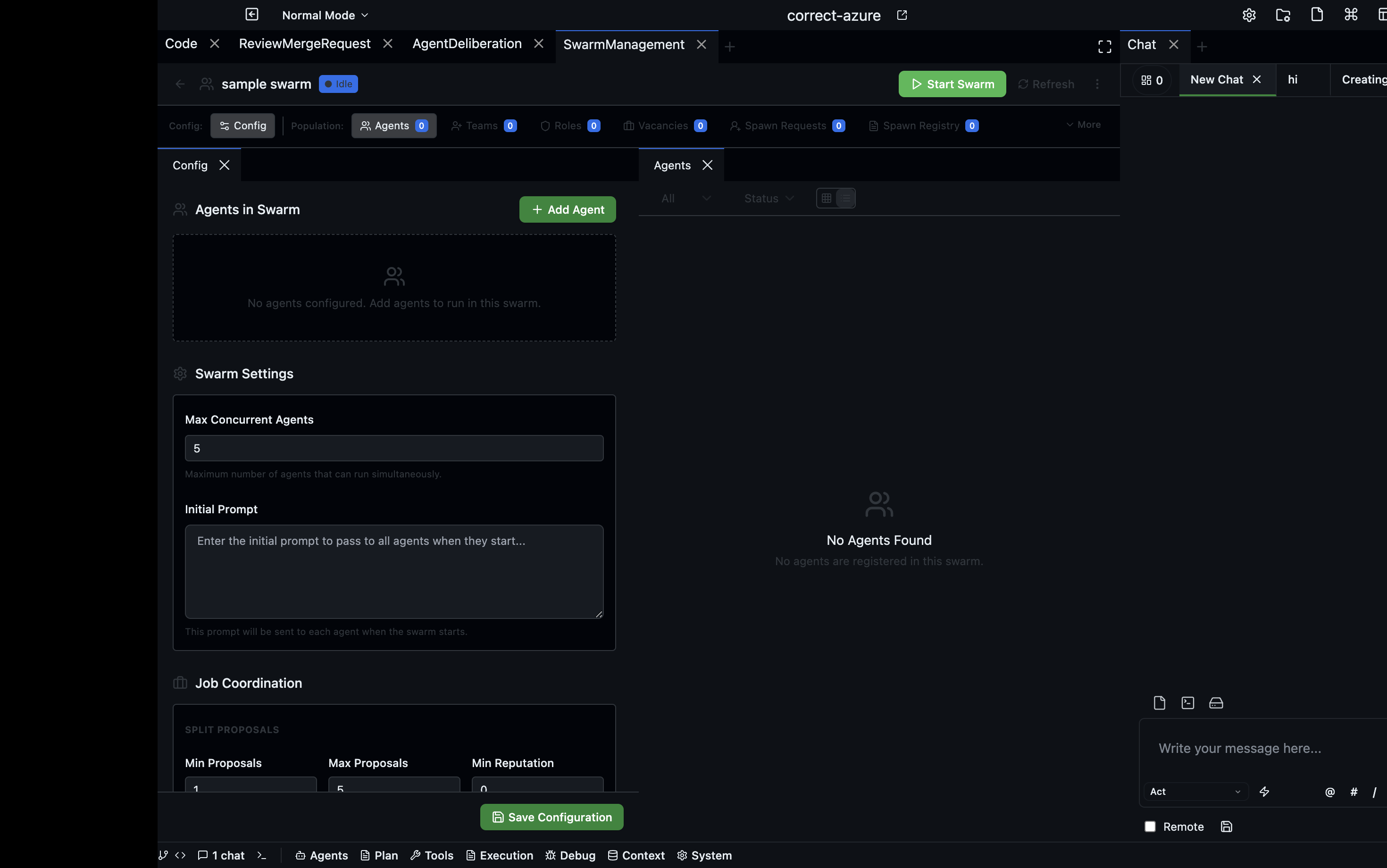
A swarm is a named group of agents configured to work toward a shared goal. The Swarm Management panel lets you create swarms, assign roles, monitor their activity, and handle lifecycle requests like agent spawning and termination.
Open via: Agents dropdown → Swarm Management
What a swarm is
A swarm groups agents under a shared configuration — a maximum agent count, defined roles, and a corresponding job group. Agents in a swarm coordinate through the Jobs panel (each swarm gets a dedicated job group prefixed SWARM-{name}) and through the other coordination tools.
Creating a swarm
- Click + New Swarm
- Enter a name and description
- Set the maximum number of agents
- Save
A corresponding job group is automatically created for the swarm.
Swarm detail
Click a swarm to open its detail view. The detail view has several tabs:
| Tab | Description |
|---|---|
| Agents | All agents currently in the swarm, with their status |
| Roles | Defined roles agents can fill within this swarm |
| Teams | Sub-groups within the swarm |
| Vacancies | Open positions waiting for agents to fill |
| Config | Swarm-level configuration (max agents, settings) |
| Activity | Event log of swarm-level actions |
Spawn requests
When an agent within a swarm wants to spawn a sub-agent, the spawn request appears in the Spawn Requests panel for approval. The panel shows:
- Requesting agent
- Requested agent type
- Reason for the request
- Pending request count badge
Approve or reject each request individually.
Termination requests
Similarly, Termination Requests shows agents that have requested to terminate themselves or another agent. Review and approve or reject before the termination proceeds.
Role management
Define the roles available in a swarm — for example: architect, reviewer, tester. Agents can be assigned to roles, and jobs can require a specific role.
Filtering and search
Filter swarms by active/inactive status and search by name or description.