Eval Tasks
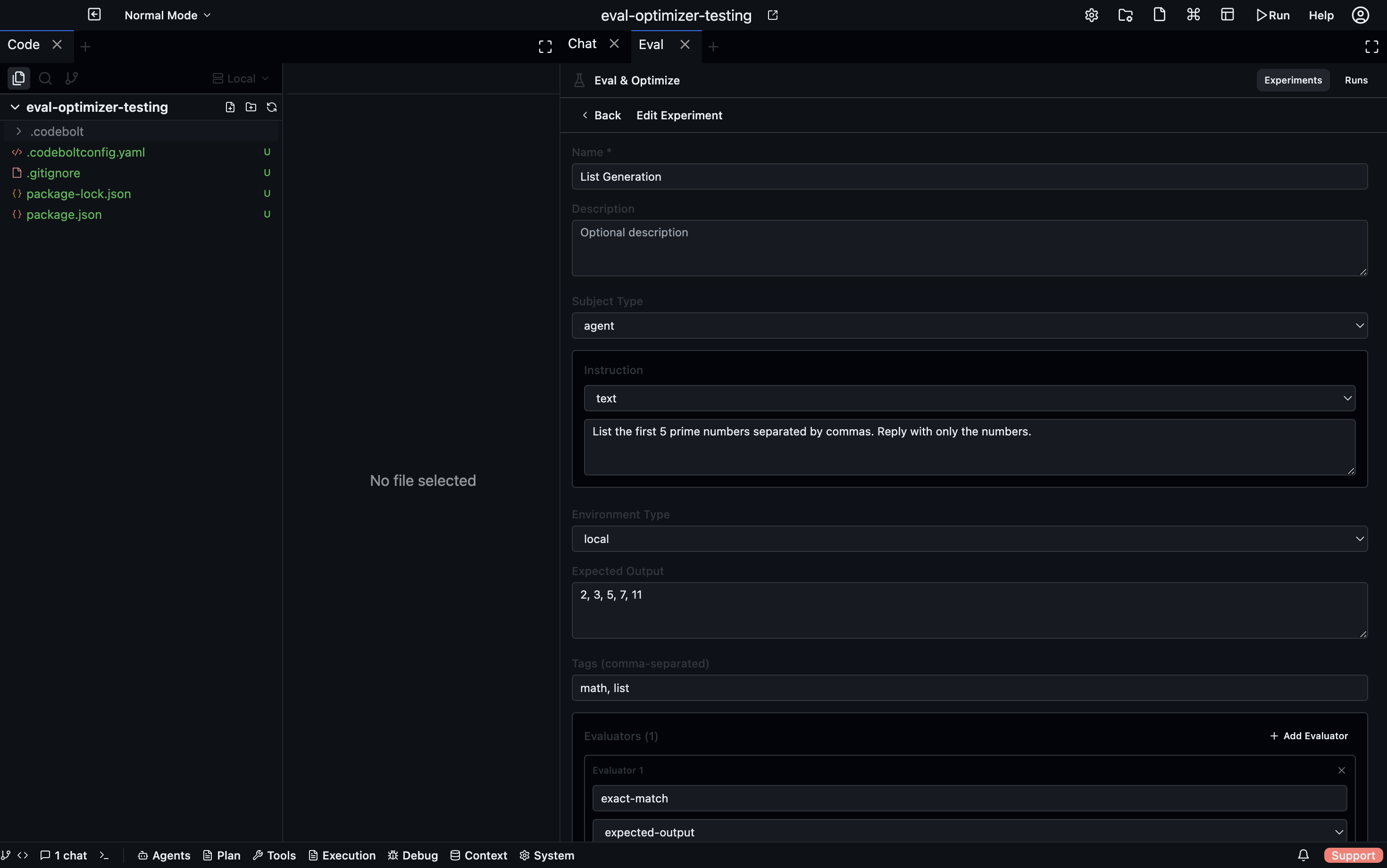
An eval task is the core definition of a test. It describes what to ask the subject to do, how to run it, and how to score the output. Tasks are reusable — you run the same task against different agents (subjects) to compare them.
Creating a task
In the Eval panel, go to the Experiments tab and click + New Task. Fill in the task form.
Task fields
Basic
| Field | Description |
|---|---|
| Name | Short identifier for the task |
| Description | What this task is testing |
| Subject Type | What kind of thing is being tested (agent, action-block) |
| Timeout | Maximum execution time in seconds before the run is marked failed |
Instruction
The instruction is what the subject receives as its input. Three instruction types are available:
| Type | Description |
|---|---|
| Text | A plain-text prompt sent to the subject as its task |
| Script | A shell script that runs to set up the environment, then outputs the instruction |
| Hybrid | A script for setup combined with a text prompt for the subject |
Use Script or Hybrid when the task requires dynamic data, file fixtures, a pre-loaded database, or any other environment preparation before the subject runs.
Environment
The environment determines where the subject executes its run:
| Type | Description |
|---|---|
| Local | Runs directly on your machine |
| Remote | Runs on a remote workspace |
| Provider | Spins up a fresh environment via a configured provider (Docker, E2B, Daytona, etc.) |
Using Provider is recommended for isolation — each eval run gets a clean sandbox with no state carried over from previous runs.
Evaluators
Add one or more evaluators to the task. Each evaluator inspects the subject's output and returns a score from 0–100. When multiple evaluators are present, their scores are combined using a weighted average:
final score = Σ(evaluator.score × evaluator.weight) / Σ(weights)
See Evaluators for the full list of evaluator types and their configuration.
Optimization (optional)
Optionally enable automatic optimization for the task. When enabled, Codebolt runs an optimization loop after the baseline eval — an optimizer agent modifies the subject between iterations to improve the score.
See Optimization for configuration details.
Suites
Suites are folders that group related tasks together. Create a suite from the Experiments tab → + New Suite. Drag tasks into suites to organise them.
When you start a run, you can select an entire suite to run all its tasks in one go, or select individual tasks.
Editing and deleting tasks
Click any task in the list to open its detail view. From there you can edit the task configuration or delete it. Deleting a task does not delete historical runs that used it — those results remain in the run files.