Running Evals
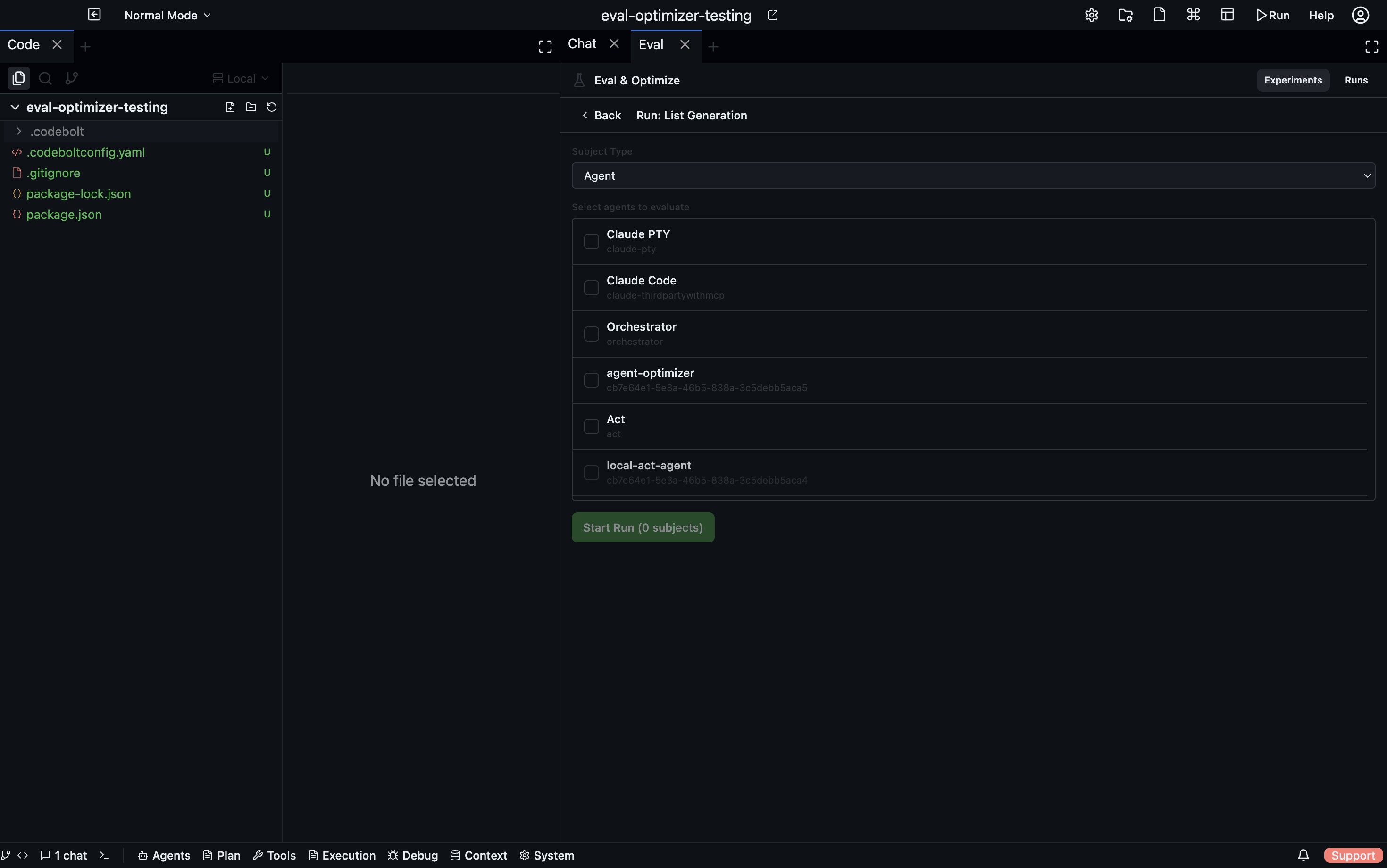
A run pairs one or more subjects (agents to test) against one or more tasks (or a whole suite) and executes them all, producing a scored result for every subject × task combination.
Subjects
A subject is what you're testing — the thing that receives the task instruction and produces an output to be evaluated.
| Subject type | Description |
|---|---|
agent | A full agent — receives the instruction as a chat message and runs to completion |
action-block | An action block execution |
Subjects are registered separately from tasks. The same subject can be used across many runs. When an optimization loop has produced an improved copy of an agent, Codebolt tracks the optimized path and uses it automatically in future runs with that subject.
Creating and starting a run
- In the Eval panel, go to the Experiments tab.
- Open a task or suite and click Run.
- In the run dialog, select which subjects to test.
- Click Start. The run begins asynchronously.
Alternatively, create a run from the Runs tab → + New Run, then select both the tasks/suite and the subjects.
Monitoring a run in real time
The run detail view updates via WebSocket as results come in. For each subject × task pair you see:
- Status —
pending,running,completed,failed - Output — what the subject produced
- Evaluator results — individual scores and reasoning from each evaluator
- Final score — the weighted aggregate
If optimization is enabled for a task, the optimization timeline appears below the results as iterations progress.
Run statuses
| Status | Meaning |
|---|---|
pending | Run created, not yet started |
running | One or more subject × task pairs are executing |
completed | All pairs finished (some may have failed) |
failed | The run itself failed to execute |
cancelled | Cancelled before completion |
Click Cancel on any active run to stop it immediately.
Leaderboard
After a run completes, the Leaderboard tab shows all subjects ranked by their average score across all tasks in the run.
| Column | Description |
|---|---|
| Rank | Position among all subjects in this run |
| Subject | Agent or action block name |
| Score | Average score across all tasks (0–100) |
The leaderboard is useful for comparing multiple agents on the same task set — for example, comparing different models or different versions of the same agent.
Subject profile
Click any subject on the leaderboard to see its per-task breakdown — how it scored on each individual task in the run. This highlights which tasks an agent handles well and which it struggles with.
Run history
All past runs are listed in the Runs tab. Runs are stored in .codebolt/evals/runs/ as plain JSON files — you can commit them, diff them across branches, and track agent improvement over time in git history.