Model Selection
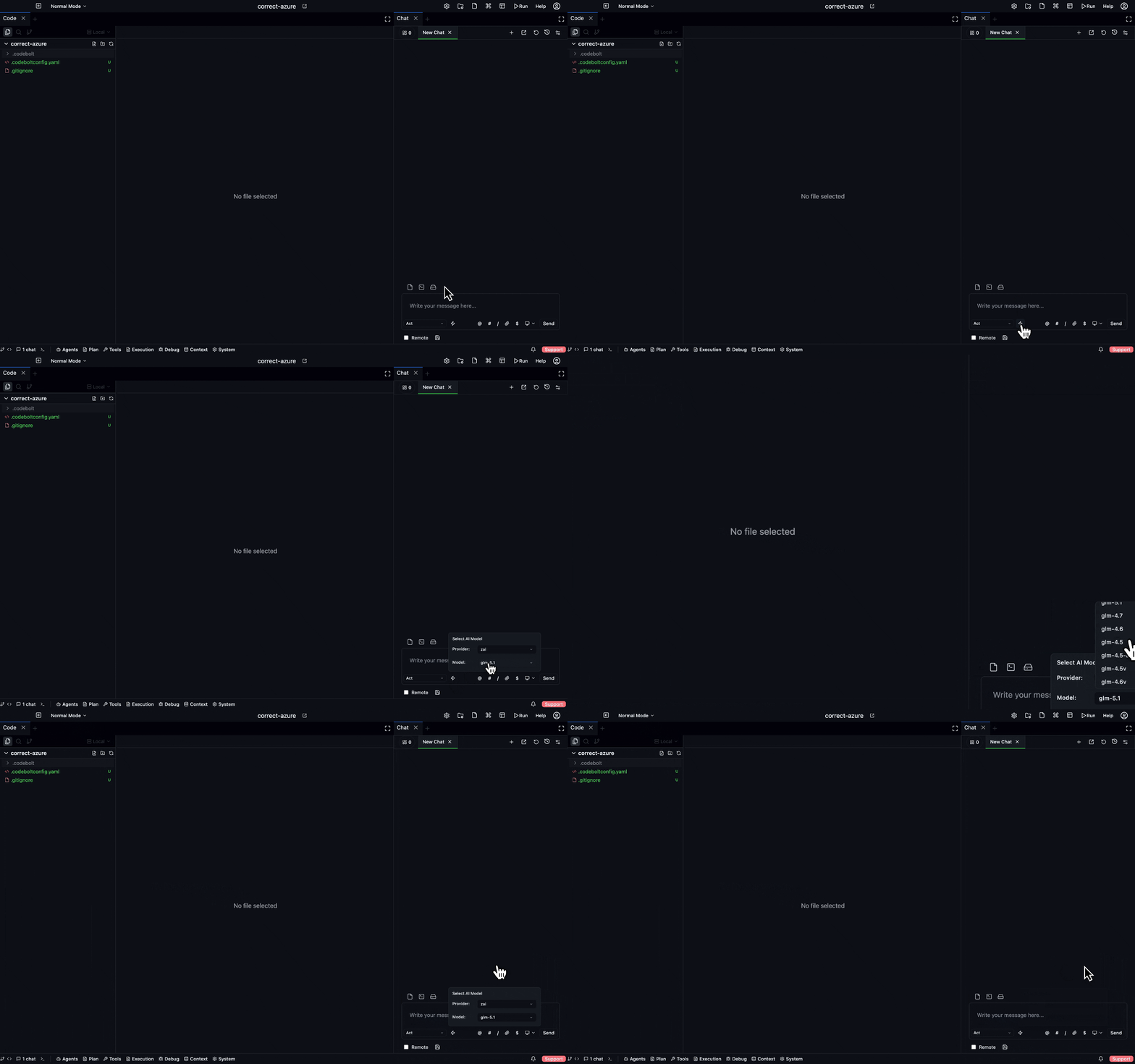
Every chat tab uses one model at a time. Picking the right one matters for both quality and cost. This page covers how to pick and when to switch.
Where the model comes from
When you start a new tab, the model is resolved in this order:
- Your explicit pick — the model picker in the tab toolbar.
- Agent default —
default_modelfrom the agent'sagent.yaml. - Project default —
.codebolt/settings.yaml. - Workspace default.
- User default — your preference for new tabs.
- Global fallback — a safe default the app ships with.
Most of the time, defaults do the right thing. You only reach for the model picker when you want to override for this specific tab.
Picking a model
- Desktop
- CLI
- Slash command
- HTTP API
Click the model name in the tab toolbar. The picker shows:
- Models your agent allows — restricted via
models.allowin the agent manifest. - Models your project has keys for — providers without configured keys are hidden.
- A "used most recently" section at the top for quick switching.
Switching mid-thread is fine. The next turn uses the new model; previous turns are unchanged.
Pass --model when starting an agent:
codebolt agent start my-agent --task "..." --model claude-sonnet-4-6
Or set per-project default:
codebolt config set default_model claude-sonnet-4-6
In the composer:
/model claude-sonnet-4-6
/model gpt-5
The next turn uses the new model.
Either set on POST /api/agents/:name/start body, or globally:
PUT /api/config/default_model
{ "value": "claude-sonnet-4-6" }
Picking between remote providers
The three major remote providers have different strengths. Rough guide (expect this to shift as providers update their models):
| Provider | Strong at | Use for |
|---|---|---|
| Claude (Anthropic) | Long-context reasoning, code generation, following detailed instructions | Complex refactors, planning, code review |
| GPT (OpenAI) | Fast iteration, broad world knowledge, well-trodden defaults | General-purpose agents, chat-shaped tasks |
| Gemini (Google) | Very long context, multimodal | Large-file analysis, mixed text+image |
Within a provider, pick based on effort:
- Flagship models (Opus, GPT-5, Gemini Ultra) — slow, expensive, best reasoning. Use for planning and high-stakes tasks.
- Mid-tier (Sonnet, GPT-4 class, Gemini Pro) — the workhorses. Default for most agents.
- Fast/cheap (Haiku, GPT-4 mini, Gemini Flash) — high-volume tasks where quality tolerance is known.
Rule of thumb: start with mid-tier. Switch up if the agent is getting things wrong; switch down if cost is hurting and quality is acceptable.
Picking between remote and local
Local models (via Ollama, llama.cpp, or another local runner) trade off differently:
| Dimension | Remote | Local |
|---|---|---|
| Quality | Higher (flagship models are better than anything you can run locally) | Lower |
| Latency | ~200-2000ms per call, network-dependent | Depends on hardware; first-call warmup is slow |
| Cost | Per-token | Fixed (hardware + power) |
| Privacy | Your prompts + code go to the provider | Nothing leaves your machine |
| Offline | No | Yes |
Use local when privacy or offline is a hard requirement, or when cost at volume dominates. Use remote when quality matters more than the other factors (which, for coding, is usually).
See Local models for setup.
Picking per agent
Different agents in the same tab can want different models. You can't switch mid-agent-call, but you can:
- Set a different default per agent in each agent's manifest.
- Use a flow that routes stages to different models — e.g. flagship for planning, mid-tier for execution, different family for review. See Pipeline.
- Override in the tab when you want to experiment.
A common setup:
- Planner agent → flagship (Opus, GPT-5 class)
- Coder agent → mid-tier (Sonnet class)
- Reviewer agent → different family from the coder (for independence)
- Summariser / utility agents → fast/cheap
Temperature and other knobs
Most of the time, the model default temperature is right. The picker lets you tweak:
- Temperature — 0.0 is deterministic-ish, 1.0 is creative. For coding, lower is usually better (0.2 is a common default).
- Max tokens — cap on response length. Usually leave at the agent default.
- Top-p — alternative to temperature; usually don't touch.
These are per-tab overrides. The next tab starts fresh.
Mid-thread model switches
Valid use cases:
- Starting with a cheap model, escalating when the cheap one gets stuck. "Run through this with Haiku first; if it can't figure it out, switch to Sonnet."
- Switching to a long-context model when the conversation is about to compress. "This got big — move to a model with more context."
- Switching providers for independence during a debate or review. "I want a different family to check this."
The thread carries over. The new model sees the same history and tool schemas.
When the model picker is greyed out
Reasons:
- Agent constraints. The current agent's manifest restricts models, and no allowed model has a configured provider. Either configure a provider for an allowed model or pick a different agent.
- Mid-turn. You can't change model while a turn is in progress. Wait for it to finish or stop it (Esc).
- No providers configured. Go to Settings → Providers.
What the LLM actually receives
The model picker just changes which provider endpoint the agent calls. The assembled prompt is the same regardless of model — same system prompt, same context rules, same memory, same tool schemas.
What does vary by model:
- Tool calling format. Each provider has a different wire format; the inference adapter handles it.
- Context window size. Older models have smaller windows, so compression kicks in earlier.
- Streaming behaviour. Some models stream token-by-token, some emit chunks.
None of these are things you manage — they're handled by llmService.