Persistent Memory
Persistent memory is a declarative retrieval abstraction. Instead of writing code to fetch the right information from the right store at the right time, you define a pipeline — a YAML/JSON file that describes what to retrieve, from where, and how to rank and format it. The Context Assembly Engine executes all persistent memory pipelines automatically every turn.
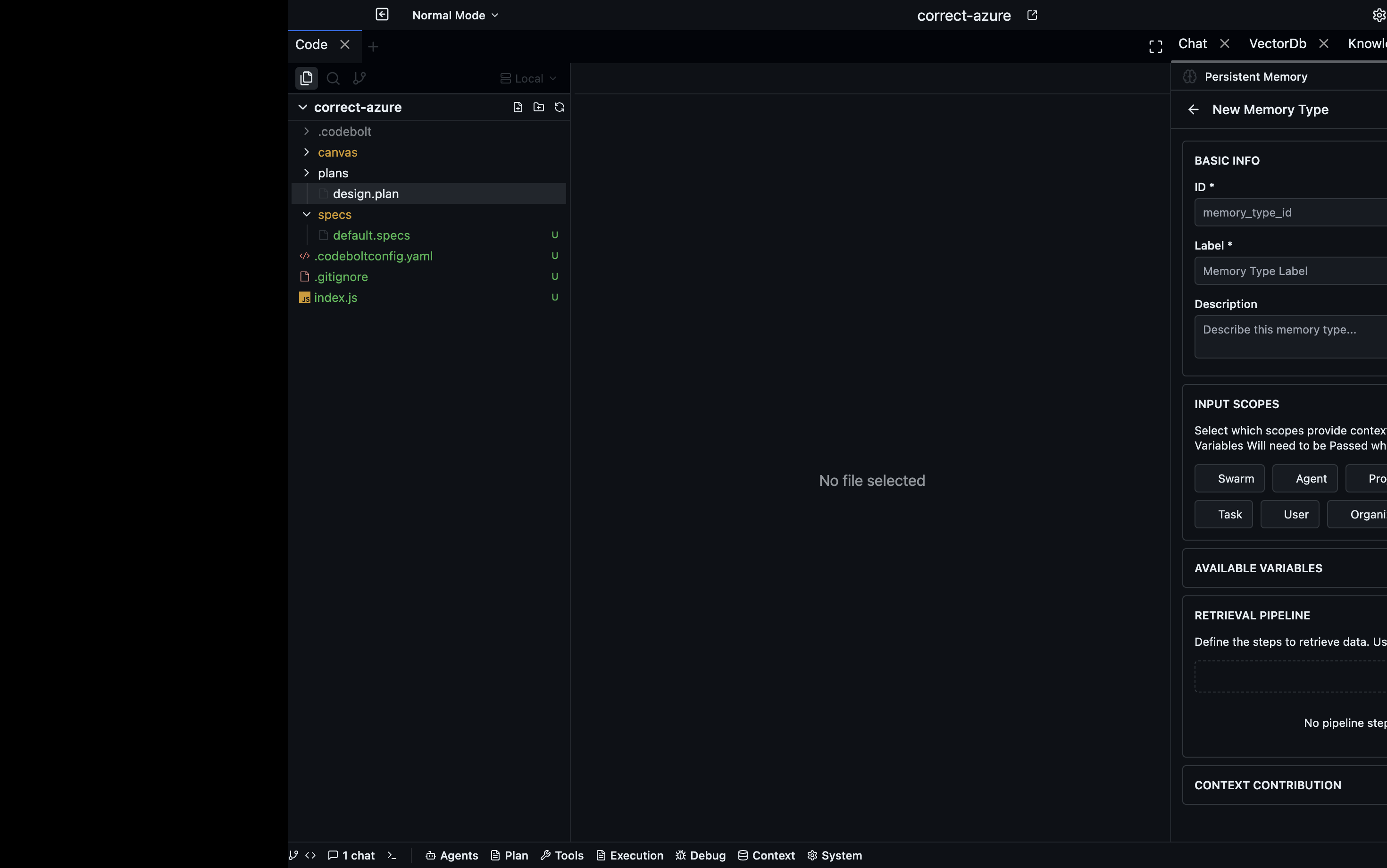
Definitions live in .codebolt/PersistentMemory/. Each file defines one pipeline.
A minimal example
name: recent-decisions
description: Retrieve recent architectural decisions relevant to the current task
enabled: true
pipeline:
  - step: derive_query
    from: task.text
  - step: vector_search
    index: architecture-decisions
    topK: 5
  - step: format
    template: "## Relevant past decisions\n{{#each results}}\n- {{this.text}}\n{{/each}}"
This pipeline derives a search query from the current task, runs it against the architecture-decisions vector index, and formats the top 5 results as a Markdown list. The formatted output lands in the knowledge section of the context window.
Pipeline steps
derive_query
Generates a search query from part of the current context. The derived query is used by subsequent search steps.
- step: derive_query
  from: task.text          # field to derive from
  method: passthrough      # passthrough | llm_rephrase | keyword_extract
| Method | What it does |
|---|---|
passthrough | Uses the field value directly as the query |
llm_rephrase | Asks the LLM to rephrase the task as a retrieval query |
keyword_extract | Extracts keywords from the task text |
vector_search
Embeds the current query and searches the vector store for nearest neighbours.
- step: vector_search
  index: my-index          # named index in .codebolt/vectordb/
  topK: 8                  # number of results
  minScore: 0.75           # minimum cosine similarity (0–1)
graph_view_read
Executes a named Cypher view against the knowledge graph.
- step: graph_view_read
  view: symbol-dependencies  # named view defined in .codebolt/knowledgegraph/views/
  params:
    symbol: "{{task.focusSymbol}}"
Named views are reusable Cypher queries with parameters. They live in .codebolt/knowledgegraph/views/ as .cypher files.
kv_get
Reads one or more keys from the KV store.
- step: kv_get
  keys:
    - user-preferences
    - project-settings
All listed keys are fetched in one operation and merged into the result set.
log_search
Filters the event log by type, time range, or field value.
- step: log_search
  eventType: tool_call
  since: "-7d"             # relative time: -Nd, -Nh, -Nm
  fields:
    tool: "browser"
  limit: 20
filter
Drops results that don't satisfy a predicate. Runs after a search step to remove low-quality results.
- step: filter
  where: "score > 0.8 AND result.metadata.project == current.project"
rank
Re-orders results using a scoring function.
- step: rank
  by: recency             # recency | relevance | combined
  weight:
    recency: 0.3
    relevance: 0.7
format
Renders the result list into a string for inclusion in the context window. Uses Handlebars-style templates.
- step: format
  template: |
    ## {{pipeline.description}}
    {{#each results}}
    **{{this.metadata.source}}** (score: {{this.score}})
    {{this.text}}
    ---
    {{/each}}
  maxTokens: 1500          # truncate output to this many tokens
Full example: code-aware recall
name: code-context-recall
description: Recall relevant code discussions and past implementations
enabled: true
pipeline:
  - step: derive_query
    from: task.text
    method: llm_rephrase
  - step: vector_search
    index: code-discussions
    topK: 10
    minScore: 0.7
  - step: filter
    where: "result.metadata.type != 'test'"
  - step: rank
    by: combined
    weight:
      recency: 0.2
      relevance: 0.8
  - step: format
    template: |
      ## Past code context
      {{#each results}}
      From {{this.metadata.source}} ({{this.metadata.date}}):
      {{this.text}}
      {{/each}}
    maxTokens: 2000
Managing definitions
Enabling and disabling
Set enabled: false to stop a pipeline from running without deleting the file:
name: experimental-graph-recall
enabled: false
Contribution caps
Set maxContribution on the pipeline to cap how many tokens it can add to the context:
name: large-knowledge-base
maxContribution: 1000
pipeline:
  - ...
Testing a pipeline
Run a pipeline in isolation from the CLI:
codebolt memory pipeline run recent-decisions --query "how do we handle authentication?"
This prints the formatted output without assembling a full context, making it easy to verify the retrieval quality before relying on it in a live agent.
Viewing pipeline execution
The assembly trace in the Codebolt UI shows, for each turn, which persistent memory pipelines ran, how many results each returned, and how many tokens each consumed. Use this to identify pipelines that are over-fetching or under-fetching.
See also
- Memory ingestion — writing data into the stores that pipelines retrieve from
- Context rules — include/exclude overrides applied after pipeline results
- Context assembly — how pipeline results are merged into the final context