Action Plan
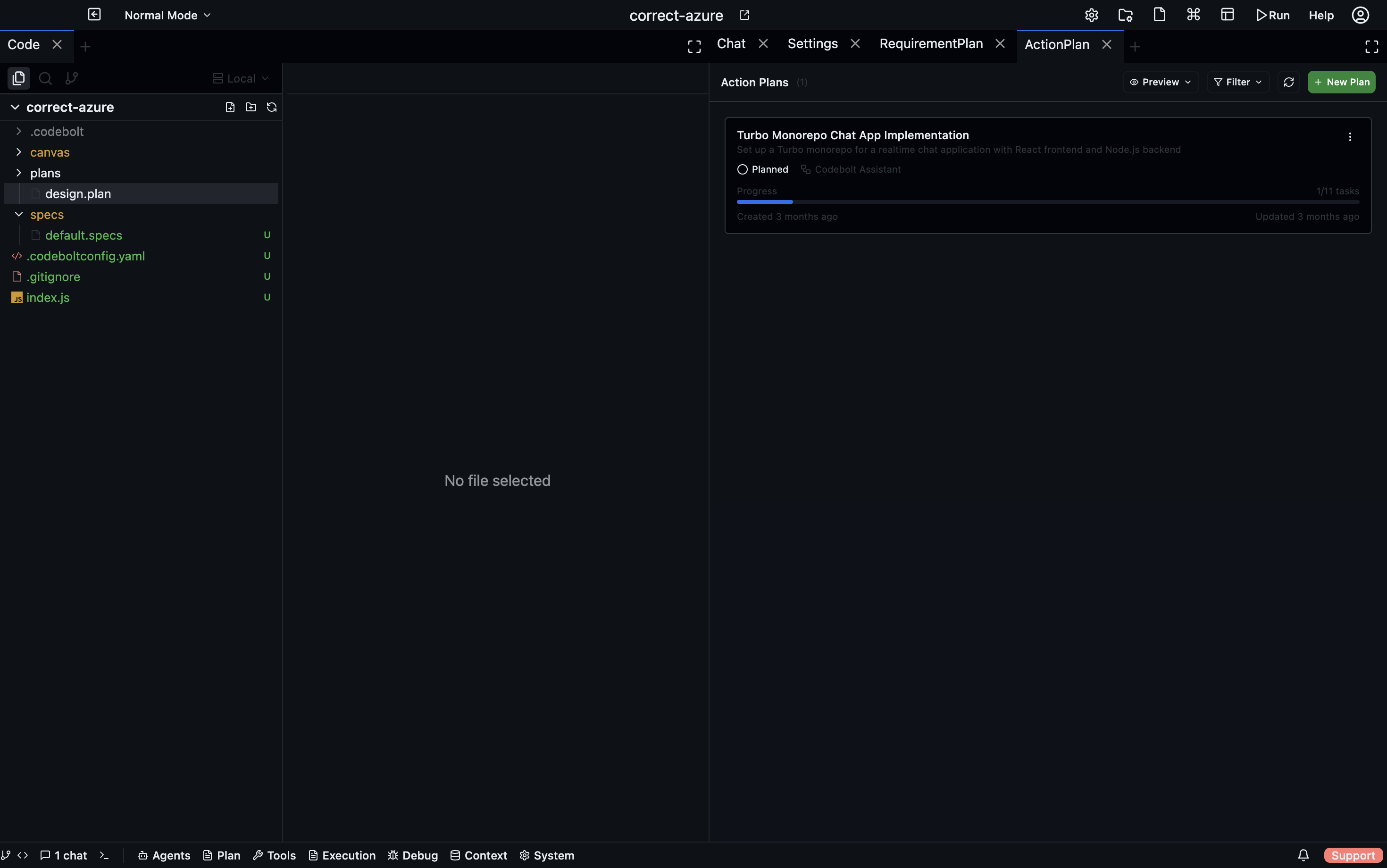
An Action Plan is an execution plan. It breaks a piece of work into tasks and groups, tracks their status as work progresses, and can represent complex structures like parallel workstreams, loops, and conditional branches. Action Plans are typically created and updated by agents, but you can create and edit them manually too.
Structure
An Action Plan contains a flat list of items. Items are either tasks or groups:
Tasks
The basic work unit. Each task has:
| Field | Description |
|---|---|
| Name | Short description of the work |
| Description | Longer explanation, acceptance criteria |
| Status | created → planned → pending → in_progress → review → completed (or cancelled / failed) |
| Priority | low · medium · high · urgent |
| Due date | Optional deadline |
| Dependencies | Other tasks that must complete first |
| Tags | Free-form labels |
| Mentioned files / MCPs | Context the task references |
Groups
Groups organise how tasks execute:
| Group type | Behaviour |
|---|---|
| Parallel Group | All tracks inside run concurrently |
| Loop Group | Repeats its tasks for each item in a list |
| If Group | Runs its tasks only if a condition is true |
| Wait Until Group | Pauses execution until a condition is met |
Groups can contain tasks or nested groups.
Views
The Action Plan panel has two views:
- List view — a hierarchical list of all tasks and groups, collapsible, with inline status editing and drag-to-reorder
- Flow view — a React Flow diagram showing tasks as nodes and dependencies as edges; useful for understanding the execution shape of a complex plan
Creating an action plan
Click + New Plan in the Action Plan panel. Add tasks one at a time, or let an agent generate the plan from a description. Agents create Action Plans automatically when they start multi-step work.
Editing tasks
Click any task to open the detail panel. From there you can:
- Edit name, description, status, priority, due date
- Add or remove dependencies
- Add comments
- View the task's execution history
Task statuses
| Status | Meaning |
|---|---|
created | Just added, not yet planned |
planned | Included in a plan, not started |
pending | Ready to start (dependencies met) |
in_progress | Agent or user is actively working on it |
waiting_user | Agent is blocked, waiting for your input |
review | Work done, awaiting review |
completed | Done |
cancelled | Dropped |
failed | Failed with an error |
Progress tracking
The plan header shows overall progress: total tasks, completed tasks, and a percentage. The progress bar updates in real time as agents complete tasks.
Agents and action plans
When an agent creates an Action Plan, it reflects its own work structure. As the agent executes:
- It marks tasks
in_progresswhen it starts them - It marks tasks
completedorfailedas it finishes - It updates
waiting_userwhen it needs your input - The plan becomes a live audit trail of what the agent did and what's left
You can intervene at any point — edit a task description, change priority, or cancel a task — and the agent respects the updated plan on its next step.
Persistence
Action Plans are stored in .codebolt/.action-plans/ as JSON. The last five versions of each plan are kept as backups, written with a 100ms debounce to avoid write thrash during fast agent updates.
See also
- Tasks — simpler individual task tracking outside of plans
- Roadmap — feature planning that feeds into action plans
- Requirement Plan — embed an action plan in a larger document