MCP Servers
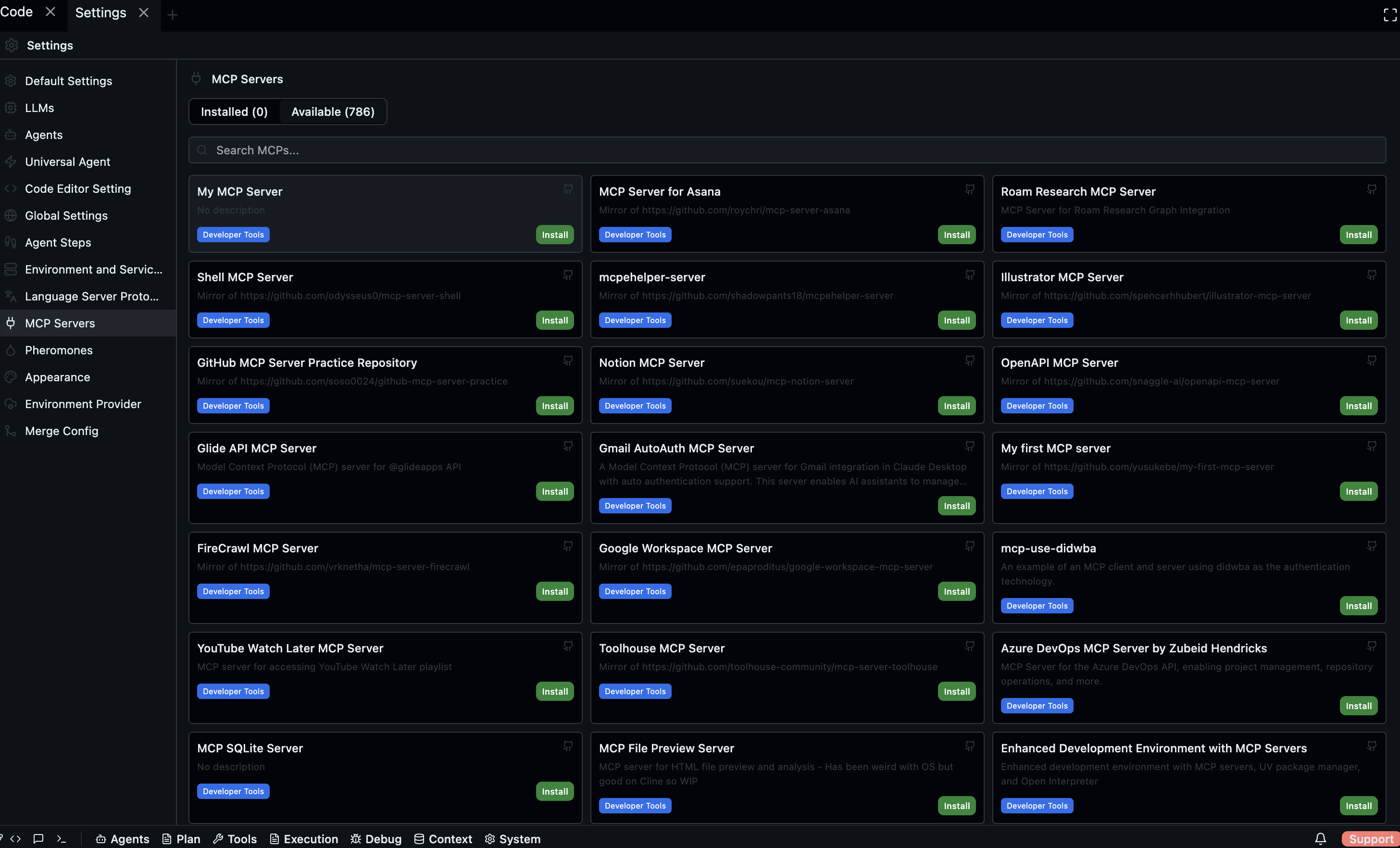
Model Context Protocol (MCP) servers extend what agents can do by exposing additional tools — file system access, GitHub operations, database queries, and anything else an MCP server implements. Agents call MCP tools the same way they call built-in tools.
Open via: Settings → MCP Servers or Bottom bar → Agents → MCP
For a broader introduction to MCP see Tools & MCP.
Installed tab
Lists all MCP servers registered with Codebolt.
| Column | Description |
|---|---|
| Name | Server identifier |
| Status | Enabled (green) or Disabled (grey) |
| Toggle | Enable or disable the server without uninstalling |
| Configure | Open the server's configuration dialog |
Use the search field to filter by name.
Configuring a server
Click Configure on any installed server to open its configuration modal. Fields vary per server — typically API keys, base URLs, or other connection details. Save to apply.
Available tab
Browse servers from the marketplace. Each card shows:
- Name and category badge
- Description
- Tags (up to 3)
- GitHub link
- Install button
Click a card to open the detail view, which shows the full README and server metadata side by side. Click Install from either the card or the detail view. Installation progress is shown inline.
Popular MCP servers
| Tool | MCP server |
|---|---|
| GitHub | @modelcontextprotocol/server-github |
| Linear | linear-mcp-server |
| Jira | jira-mcp-server |
| Notion | @modelcontextprotocol/server-notion |
| GitLab | gitlab-mcp-server |
Enabling and disabling
Toggle a server off to prevent agents from calling its tools without removing the configuration. Toggle it back on to restore access. Changes take effect immediately — no restart required.