Thread Panel
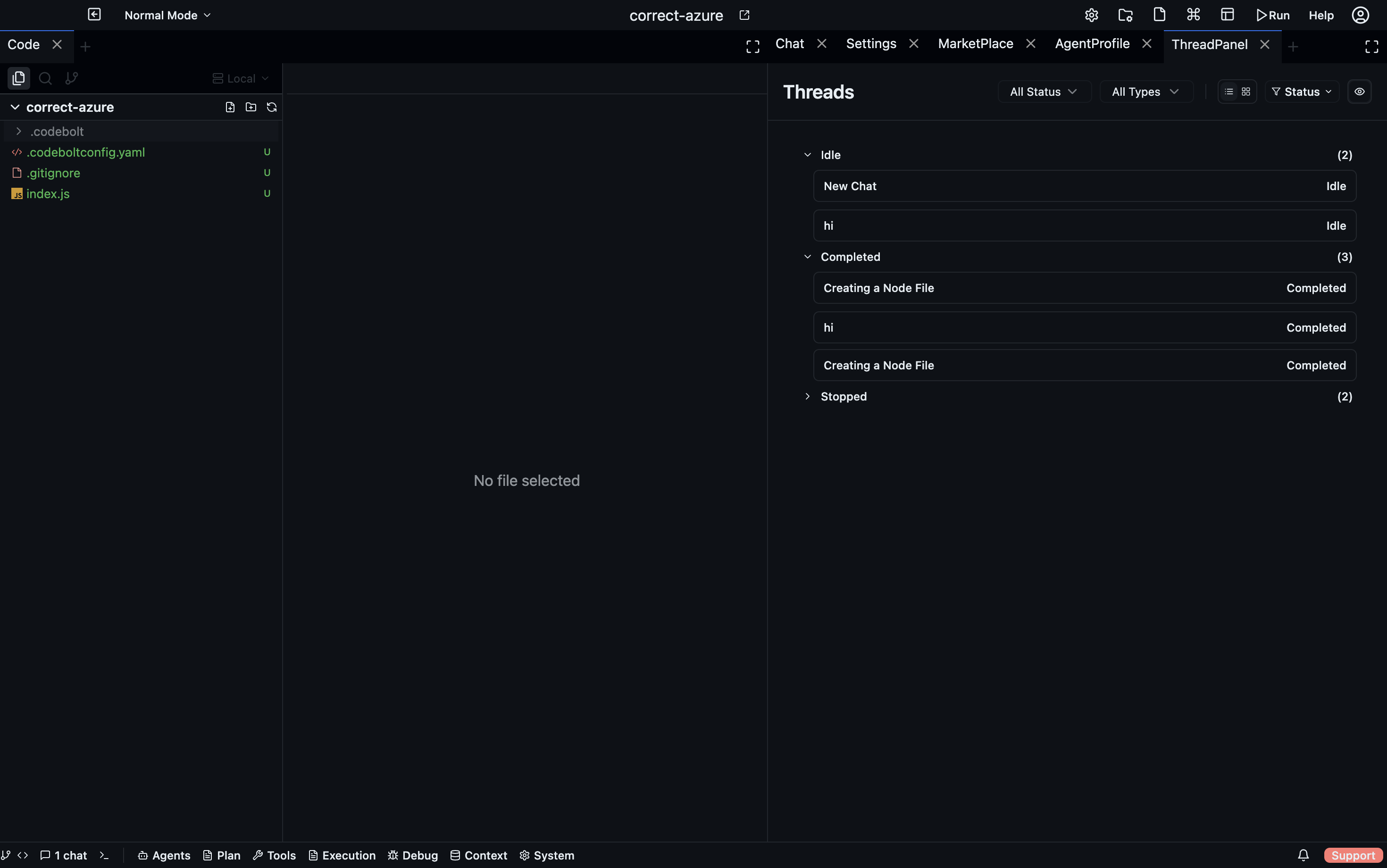
The Thread Panel is a unified list of every message thread in the current project. Each chat conversation, agent run, and delegated sub-task creates a thread; the Thread Panel lets you navigate and monitor all of them from one place.
Open via: Execution dropdown → Thread Panel
What a thread is
A thread is the record of a single agent conversation — the user messages, agent replies, tool calls, and status updates that belong to one unit of work. Threads are created when:
- You start a new Chat tab
- An agent spawns a sub-agent (which gets its own thread)
- A hook or scheduled trigger starts an agent run
Thread list
The Thread Panel shows all threads sorted by most-recently-active. Each row displays:
- Agent icon + name — which agent handled this thread
- Thread title — the first message or a generated summary
- Status badge —
running,completed,failed,paused - Timestamp — when the thread was last active
Click any thread to open the Thread Detail view, which shows the full message history — including sub-agent calls, tool results, and streaming output.
Thread Detail
The Thread Detail panel is a read-only replay of the thread. It shows:
- Every user message and agent reply
- Each tool call with its input and output
- Token counts per turn
- Errors and retries
Use Thread Detail to understand exactly what an agent did — especially useful when a run completed in the background and you want to review the full trace.
Filtering threads
Use the search bar at the top of the Thread Panel to filter by:
- Thread title keyword
- Agent name
- Status (
running,completed,failed)
Thread status badges
| Badge | Meaning |
|---|---|
running | Agent is actively processing |
completed | Agent finished successfully |
failed | Agent encountered an unrecoverable error |
paused | Agent is waiting for user input |
cancelled | Run was manually stopped |
Resuming a paused thread
When an agent needs clarification it can't resolve on its own, it pauses and marks the thread as paused. The thread row is highlighted in the Thread Panel. Click it → type your response → the agent resumes from where it stopped.
Cleaning up
Right-click a completed thread → Archive to remove it from the active list. Archived threads are kept in history and can be searched from the Thread Panel's archive view.